

Sole Trader Record Keeping: The Complete Compliance Guide

You've reached the point in the year where the tax return is due, but the receipts are in three email accounts, a drawer, and a carrier bag in the car. The bank statement shows money moving, yet you can't immediately explain which payments were sales, which were personal, and which expenses you intended to claim.
That situation is common, but it isn't a workable record keeping system. Sole trader record keeping needs to produce a clear trail from each business transaction to the figure reported to HM Revenue & Customs. The practical standard is simple: record transactions promptly, retain the evidence, reconcile the totals, and make sure another person could follow your reasoning without relying on your memory.
Why Proper Record Keeping Matters
For a sole trader, bookkeeping isn't just an administrative chore that appears before Self Assessment. It provides the evidence behind your taxable profit. HMRC explains that a sole trader who must submit a Self Assessment tax return is legally required to keep records of business income and expenses. Those records can be paper-based, digital, or maintained in bookkeeping software, provided they're accurate, complete, and readable. You can review the HMRC requirements for keeping tax records directly.
The records should support the figures on your return. In practice, that usually means retaining:
- Sales evidence: Sales invoices, cash receipts, payment confirmations, and credit notes.
- Bank records: Business bank statements and evidence for deposits or transfers.
- Purchase documents: Supplier invoices, expense receipts, and records of business subscriptions.
- Travel support: Mileage records, tickets, and notes explaining the business purpose of journeys.
- Other transaction evidence: Contracts, correspondence, or calculations that explain unusual payments.
A bank statement alone often shows that money moved, but not why it moved. A receipt without a business purpose may also leave an important question unanswered. The strongest record pairs the transaction with enough context to explain its commercial purpose and its treatment in your accounts.
The evidence behind your tax return
Your taxable profit is calculated from recorded business income less allowable business expenses. That makes the quality of your records directly relevant to the amount of tax assessed. If you miss sales, your return may be inaccurate. If you claim an expense without supporting evidence, you may struggle to defend it if HMRC asks questions.
Practical rule: Every figure in your tax return should have a documentary path back to an invoice, receipt, bank entry, mileage log, or other business record.
Poor records can create penalties, interest, and difficulty defending expense claims during an HMRC enquiry. They also make ordinary administration harder. Without reliable records, you can't easily see which customers owe you money, whether a supplier payment was duplicated, or whether a cost was personal rather than business-related.
A small business budget can help you see how record keeping connects with cash planning. For a simple example of how spending can be organised, you can browse the demo budget from Peaceful Mindful Pocket LLC. It isn't a substitute for accounting records, but it can be useful when separating expected household spending from business cash movements.
Make the system defensible
A defensible system doesn't need to be elaborate. It needs consistent categories, reliable supporting documents, and a routine that prevents transactions from accumulating in an unexamined pile. Record the transaction while the reason is still clear, attach the evidence immediately, and add a brief note where the receipt doesn't explain the business purpose.
That approach protects more than your tax return. It gives you a usable view of profitability and reduces the risk that an HMRC question turns into a reconstruction exercise based on estimates.
Setting Up Your Record Keeping System
The best system is the one you will use after a busy client meeting or a long day on site. HMRC doesn't require one specific format, so the choice is between a structured paper process, a digital workflow, or a combination of both.
Paper can work well for a trader with relatively few transactions and a stable working location. Cloud software suits someone who works across locations, handles regular card payments, or wants bank transactions and receipts together. Neither option fixes careless habits. A sophisticated platform filled with uncategorised transactions is less useful than a plain ledger updated consistently.
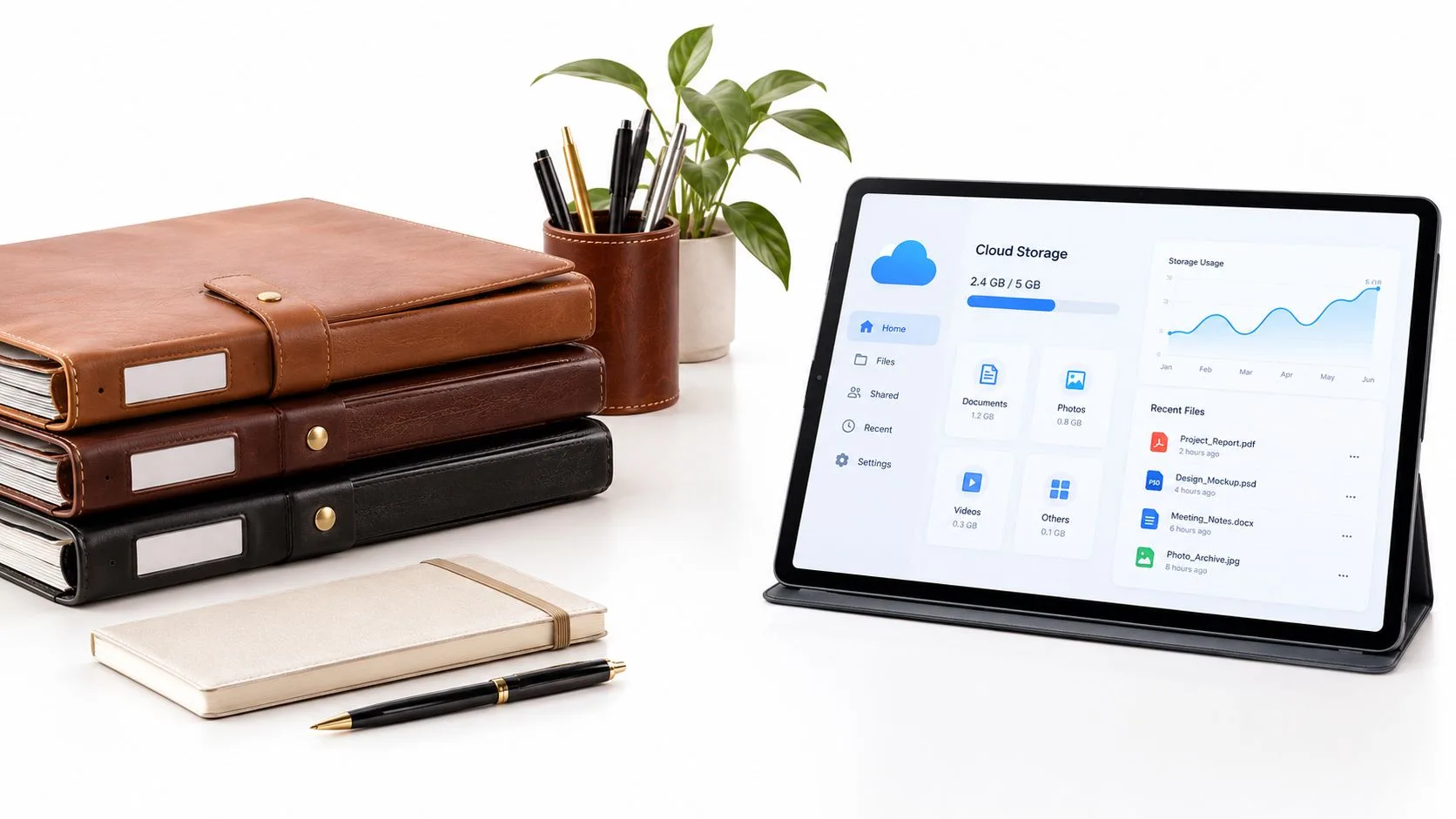
Paper and cloud methods compared
A paper system should have a dedicated location, clear month or category dividers, and a process for matching receipts to bank entries. Keep business documents away from general household paperwork. A simple colour system can help, but it only works if you apply it consistently.
With cloud software, receipts can usually be photographed or uploaded at the point of purchase, then attached to the relevant transaction. Bank feeds reduce manual entry, but they don't remove the need to review categories. Automation can import a payment correctly while still assigning it to the wrong expense type.
| Feature | Paper System | Cloud Software |
|---|---|---|
| Cost | Low initial cost, with folders, stationery, and secure storage | Usually involves software or app costs |
| Accessibility | Available where the files are stored | Accessible across supported devices |
| Receipt handling | Requires manual filing and matching | Receipts can be scanned and attached to transactions |
| Backup | Needs copying or separate digital storage | Often includes provider backups, but your access and export plan still matter |
| Reconciliation | Usually performed against printed statements or a ledger | Bank feeds can speed up matching and review |
| MTD suitability | May need compatible bridging or bookkeeping software | Designed for digital records when the product is compatible |
| Main risk | Loss, fading, misfiling, or physical damage | Incorrect categorisation, weak passwords, or reliance on one platform |
Choose for your actual working habits
Use paper if you have limited transaction volume, rarely work away from your base, and will file documents at least weekly. Use cloud software if you have frequent transactions, use several payment methods, or need access while travelling. A hybrid method can work too, provided paper receipts are scanned promptly and the digital copy remains readable.
A separate business bank account makes either approach easier. It reduces the number of personal transactions requiring review and gives you a cleaner control account for reconciliation. If you use a personal card for a genuine business purchase, record it clearly rather than allowing it to disappear into personal spending.
For practical ideas on building a repeatable expense process, AccountShare provides a useful guide to expense tracking. If you're comparing bookkeeping workflows, you can also review this guide to self-employed bookkeeping and adapt the principles to your transaction volume.
Set up the filing structure before transactions build up. Whether you use labelled folders or software categories, decide where sales, expenses, mileage, bank evidence, and year-end documents will live. Changing the structure repeatedly creates more work than choosing a simple system and applying it carefully.
Daily, Monthly, and Quarterly Routines
Record keeping becomes manageable when each review has a defined purpose. Daily capture prevents lost evidence. Monthly reconciliation checks whether the books agree with the bank. Quarterly review gives you an early view of tax information and cash pressure.
You don't need to spend hours every day. The important point is to process transactions while the details are fresh, rather than waiting until you no longer remember what a payment was for.
The weekly capture routine
Set aside a regular weekly session, even if your business has only a small number of transactions. During that session:
- Capture income: Enter each sale, issue, or retain the relevant invoice and receipt.
- Upload evidence: Photograph paper receipts and attach digital invoices to the matching transaction.
- Categorise carefully: Choose the appropriate income or expense category instead of relying on a vague miscellaneous label.
- Add context: Note the customer, project, journey, or business reason where the document doesn't make it obvious.
- Flag uncertainty: Put questionable items on a review list rather than guessing and forgetting the issue.
The last step matters. A temporary review flag is safer than a confident but incorrect classification that remains unnoticed.
The monthly control routine
Each month, compare the ledger with the business bank account. Match deposits and payments, investigate unmatched items, and look for duplicated entries. Check whether invoices issued during the month have been paid, and record outstanding amounts separately from received income where your bookkeeping method requires that distinction.
Monthly reconciliation also exposes personal spending in the business account. Remove it from business expenses and record any owner withdrawals or capital introduced in the appropriate place.
A clean bank reconciliation is not proof that every category is correct. It proves that you've checked the movement of money and investigated the differences.
The quarterly review
Use the quarterly review to assess whether your categories remain consistent, supporting documents are attached, and unusual transactions have an explanation. If Making Tax Digital applies to you, the review should prepare the information needed for the relevant quarterly update. It should also identify cash that may be needed for tax before you commit it elsewhere.
Don't treat the quarterly review as a replacement for regular capture. A quarter of unprocessed receipts is difficult to analyse, and missing evidence is harder to recover once suppliers or payment providers have changed their records.
Understanding HMRC Retention Rules
The retention rule is measured from the Self Assessment submission deadline, not from the day you scan a receipt or submit the return. For most UK sole traders, business records must generally be retained for at least five years after the 31 January submission deadline for the relevant tax year. The detailed rule is set out in HMRC's guidance on how long self-employed records must be kept.
The tax year runs from 6 April to 5 April. That means your filing system must distinguish the accounting period covered by the records from the date on which you eventually submit the return. Mixing documents by calendar year can make retrieval unnecessarily difficult.
Applying the five-year rule
Take the tax year 2022–23. An online return submitted by 31 January 2024 requires the underlying records to be retained until at least the end of January 2029. Submitting the return doesn't start a disposal process for the records immediately. It starts the period during which the supporting evidence still needs to be available.
A workable archive should preserve the link between:
- The tax year: The period in which the income and expenses arose.
- The submitted return: The figures reported to HMRC.
- The supporting records: Invoices, receipts, statements, mileage records, and calculations.
- The retention date: The point after which disposal may be considered.
Keep the final return, accounts, reconciliation reports, and significant calculations together with the transaction evidence. That makes an enquiry easier to manage because you can move from the reported total to the underlying documents without rebuilding the file.
The late-return exception
HMRC applies a longer rule where a return is submitted more than four years after its deadline. In that situation, the records must be retained for 15 months after the return is filed, rather than relying on the standard timing alone. The date of filing therefore matters, and a late submission shouldn't lead you to discard older evidence prematurely.
Archive advice: Label records with both the tax year and the earliest safe disposal date. Don't rely on a folder name such as “old receipts”.
Digital storage can reduce physical clutter, but it still needs discipline. Use readable file names, preserve original invoices where appropriate, and maintain secure access. A receipt that cannot be opened, read, or connected to the transaction is not useful just because it exists in a cloud folder.
If you need to assess a wider range of business documents, this explanation of how long to keep business records in the UK provides a practical reference point. Your own circumstances may require additional advice, particularly where records relate to disputes, unusual transactions, or other regulatory obligations.
Navigating Making Tax Digital Requirements
Making Tax Digital changes the way some sole traders need to maintain records. The important practical shift isn't merely submitting information online. It's keeping digital, transaction-level records in compatible software so the figures submitted can be traced back to individual sales and expenses.
From 6 April 2026, MTD for Income Tax became mandatory for sole traders and landlords with combined qualifying income from self-employment and property above £50,000, according to HMRC's Making Tax Digital guidance. The threshold falls to above £30,000 from April 2027 and above £20,000 from April 2028. These are qualifying income thresholds, not profit thresholds.
Build the transaction trail first
A reliable MTD workflow starts before any quarterly submission:
- Capture promptly: Enter each sale and expense in compatible software.
- Record the essentials: Include the amount, transaction date, and correct Self Assessment income or expense category.
- Retain evidence: Attach or preserve the invoice, receipt, or bank evidence supporting the entry.
- Reconcile monthly: Compare the ledger with the business bank account and investigate differences.
- Review classifications: Check private-use items, disallowable costs, and capital items before submission.
- Submit summaries: Send the relevant quarterly totals through the software, then complete the annual tax return.
The gross receipts point causes avoidable confusion. The MTD threshold is based on total qualifying income before expenses or tax allowances, not the profit left after costs. A trader with substantial expenses shouldn't assume those costs reduce the income figure used to assess whether MTD applies.
Quarterly updates are not tax returns
A quarterly update summarises business income and expenses for the relevant period. It isn't the final calculation of your tax liability and it doesn't replace the annual submission. The annual tax return remains necessary, including the wider information and adjustments required to determine the final position.
That distinction affects your routine. A quarterly update shouldn't be treated as a rushed mini tax return, but neither should it be treated as a rough estimate. The underlying digital records need to be accurate enough that the totals can be reviewed, corrected, and carried into the annual process.
If you're preparing for the threshold changes, this guide to MTD for Income Tax thresholds and quarterly filing rules can help you map the requirements onto your existing bookkeeping process.
Software selection should focus on compatibility, export capability, receipt attachment, category control, and bank reconciliation. Don't choose a platform only because it produces attractive reports. The critical question is whether it creates an audit trail that explains how each submitted total was built.
Common Mistakes and When to Get Help
Most record keeping failures don't begin with deliberate non-compliance. They begin with small shortcuts that become impossible to untangle. A receipt is left in a pocket, a personal payment is coded as a business cost, or a capital purchase is treated like an ordinary expense because the distinction wasn't reviewed.

Errors that cause the most trouble
Mixing personal and business spending makes reconciliation slower and increases the risk of claiming something that isn't a business expense. Use a separate account where possible, and document any business cost paid personally.
Keeping only bank statements leaves out the explanation behind the payment. A statement may confirm an amount and date, but it may not establish what was bought or why it was incurred for the business.
Ignoring capital items can distort the accounts. Equipment and other longer-term purchases may need different treatment from ordinary running costs, so flag them for review instead of applying the usual expense category automatically.
Using estimates without notes creates a weak audit trail. If you calculate business use of a vehicle, workspace, or other shared cost, retain the method and assumptions used.
Leaving reconciliation until the return deadline turns routine checking into an investigation. Missing invoices, duplicated entries, and personal transactions are much easier to resolve near the original payment date.
The correct response isn't to buy more software automatically. It's to identify the failure point. If receipts are missing, improve capture. If categories are inconsistent, simplify them and review examples. If you can't tell whether an item is revenue or capital, obtain advice before submitting rather than guessing.
When professional support makes sense
Consider professional help when bookkeeping regularly displaces billable work, you're unsure whether expenses are allowable, your records cover several income streams, or MTD compatibility is unclear. Another warning sign is repeated uncertainty at submission time. If you're reconstructing months of transactions from memory, the system needs attention before the next period begins.
A qualified accountant can help design categories, establish reconciliation controls, review the treatment of unusual transactions, and prepare Self Assessment information. Stewart Accounting Services is one example of a firm offering bookkeeping, tax, Self Assessment, and digital record keeping support to sole traders and other small businesses.
The value of help isn't limited to completing a form. It can give you a review point before errors become embedded and help you decide which tasks should remain with you and which can be outsourced.
For a concise explanation of how an accountant may support a small business workflow, watch the following video:
You should still understand your own records even when someone else prepares the return. Delegation works best when the source documents are complete, the bank account is reconciled, and questions can be answered from the file rather than reconstructed from memory.
Your Record Keeping Checklist
- Capture every transaction: Record sales and expenses promptly.
- Keep evidence: Retain invoices, receipts, bank statements, and mileage records.
- Reconcile monthly: Match the ledger to the business bank account and investigate differences.
- Review classifications: Check private, disallowable, and capital items.
- Prepare for MTD: Use compatible software and distinguish quarterly updates from the annual return.
- Archive securely: Keep records for the required retention period, including the relevant late-return rule.
A reliable system starts with your next transaction. Create the folder structure or software workflow today, process the outstanding receipts, and arrange a professional review if you can't confidently trace your recent figures back to supporting evidence.
If you want to turn sole trader record keeping into a dependable routine rather than a year-end rescue project, contact Stewart Accounting Services to discuss bookkeeping, Self Assessment, or Making Tax Digital support. Bring your current records and questions, and use the conversation to identify the practical controls your business needs before the next deadline.
Recent Posts
14 Oct, 2026
12 Oct, 2026
12 Oct, 2026