

Still wrestling with clunky spreadsheets and mountains of receipts to manage your business finances? You're definitely not alone. But think of it this way: sticking with old-school bookkeeping is like trying to navigate London with an old A-Z map instead of a live GPS. Cloud accounting for small businesses gives you that real-time, bird's-eye view of your finances, showing you exactly where you are and helping you plot the best route forward. It turns a reactive chore into a powerful, proactive tool for your business.
Why Cloud Accounting Is a Must for UK Small Businesses
For most small business owners, "accounting" traditionally means long nights spent poring over bank statements and chasing down invoices. It’s a system built on looking backwards, often weeks or even months after the transactions have happened. Cloud accounting completely flips this on its head. It works by creating a secure, central online space for all your financial data, accessible whenever you need it, from wherever you are.
Picture this: instead of all your crucial financial records being trapped on a single computer in your office, they’re stored safely online. This means you can check your cash flow on your phone while grabbing a coffee, or your accountant can log in from their own office to give you advice without any back-and-forth with cumbersome files. Understanding the underlying principles of cloud computing really helps to see why this is so much more efficient and secure.
A Foundational Shift in Financial Management
This isn't just about new software; it represents a fundamental change in how you can manage your business. The trend is undeniable. Already, 64.4% of small business owners are using some form of accounting software. What's more, it’s predicted that by 2025, UK SMBs will be spending over half of their technology budgets on cloud-based services. This shift is happening for good reason—it’s driven by the huge advantages of having real-time information at your fingertips and staying compliant with UK tax rules.
So, what are the tangible benefits for your business?
- Real-Time Clarity: See your up-to-the-minute cash position, who owes you money, and what bills are due. No more guesswork.
- Unmatched Accessibility: Get a complete financial overview from your laptop, tablet, or phone, whether you're at home or on the road.
- Enhanced Security: Your data is protected with bank-level security protocols, which is often far more robust than a standard office computer.
- Simplified Compliance: Many platforms are built specifically to comply with HMRC’s Making Tax Digital (MTD) requirements, making tax time far less stressful.
This approach transforms accounting from a historical record-keeping exercise into a forward-looking strategic tool. It gives you the power to make smarter, data-driven decisions that actively fuel your growth, rather than just reacting to what happened last month. With cloud accounting, you're always in the driver's seat of your financial story.
The Real-World Benefits of Cloud Accounting
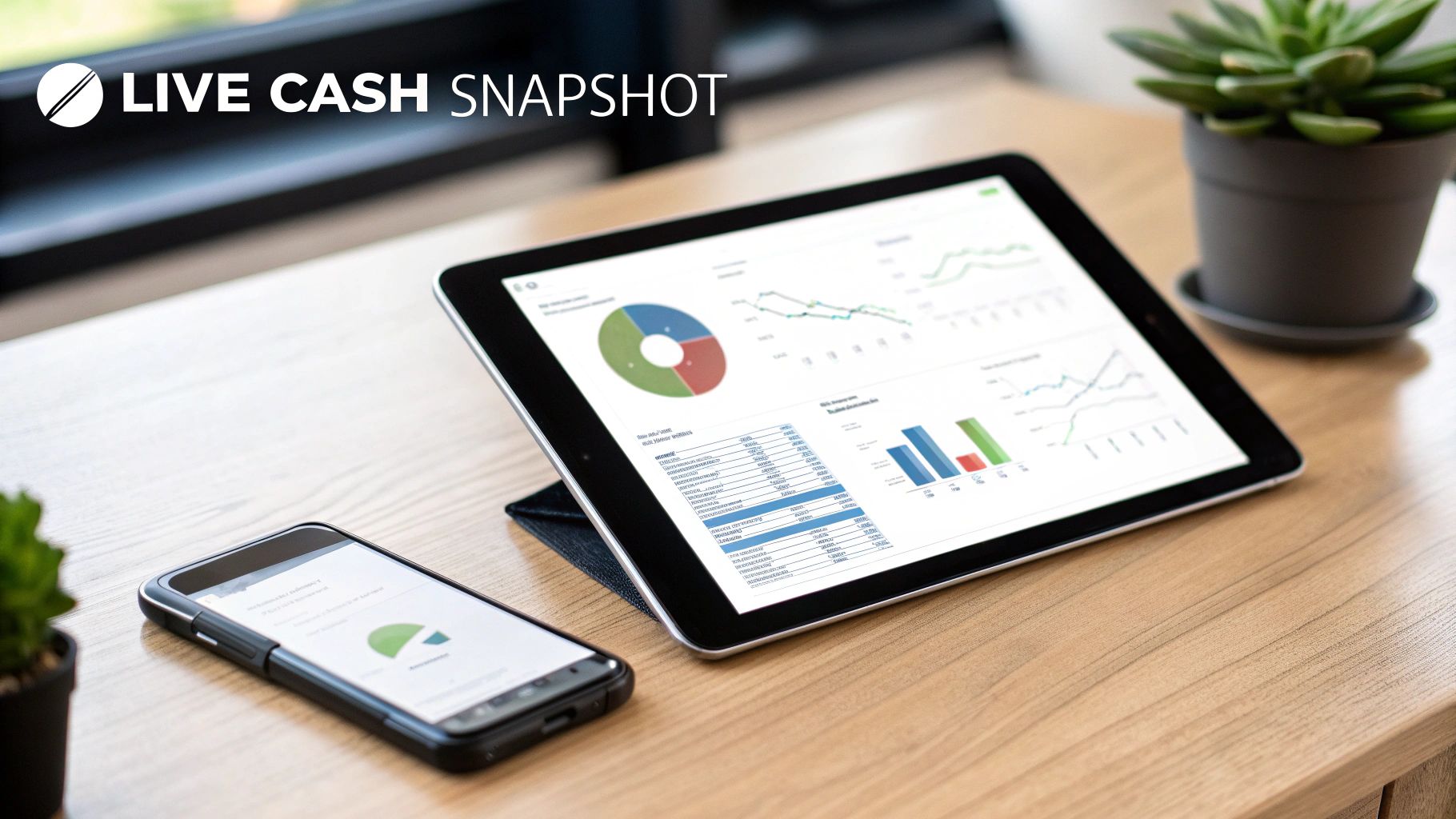
Moving your books online is about much more than just convenience. It fundamentally changes how you see and use your business’s financial information. The perks are real, they show up quickly, and they can make a genuine difference to your bottom line and how you spend your day.
Instead of being a chore you put off, accounting becomes a powerful tool that helps you make smarter decisions.
To get the full picture, it helps to understand the broader benefits of cloud computing services in general. The same core ideas—easy access, solid security, and clever automation—are what make cloud accounting such a breakthrough for small businesses. Let's dig into the four main advantages you'll notice right away.
Reclaim Your Most Valuable Asset: Time
If you run a small business, you know that time is the one thing you can never get more of. Old-school accounting is a notorious time-drain, swallowing hours with manual data entry, matching up bank statements, and chasing people for payment.
Cloud accounting gives you that time back by putting those repetitive jobs on autopilot.
Imagine a system that creates and sends invoices for you, complete with polite nudges when they’re due. Picture your bank transactions flowing straight into your accounts, waiting for you to categorise them with a single click. This isn't some far-off dream; it's just how modern cloud platforms work. It frees you up to focus on what really matters—running and growing your business.
Fortify Your Financial Data
It’s natural to worry about the security of your financial data. You might feel like it's safer tucked away on a computer in your office, but the reality is often the complete opposite. A single desktop is a single point of failure. It's vulnerable to theft, hardware meltdowns, or cyberattacks that could wipe out your records in an instant.
Top-tier cloud accounting providers, on the other hand, offer security on par with major banks. Your information is protected by layers of encryption and stored in highly secure data centres that are monitored around the clock.
Think of it like this: your office computer is like a safe in your home, whereas a cloud provider's security is like storing your valuables in the vaults at Fort Knox. It’s a completely different level of protection, managed 24/7 by dedicated experts.
Supercharge Your Collaboration
Remember the old dance with your accountant? You’d bundle up your records at the end of the month or quarter, send them off, and then wait for feedback. This lag meant the advice you received was always based on what had already happened.
Cloud accounting enables seamless, real-time collaboration. You and your accountant can look at the very same live financial data, at the same time, from anywhere. Got a question about a strange transaction? Need advice on a big purchase? Your accountant can log in, see exactly what you’re seeing, and give you immediate, well-informed guidance. This turns them from a historian into a proactive partner in your business.
Gain Powerful, Real-Time Insights
Perhaps the biggest win is the move from looking in the rear-view mirror to seeing what’s right in front of you. With desktop software, you might only get a clear view of your financial health once a month. That means you’re often making decisions based on stale information.
Cloud accounting platforms have live dashboards that give you an instant snapshot of your most critical numbers. You can see your cash position, who owes you money, and what bills are coming up—right now. This up-to-the-minute clarity helps you spot potential cash flow problems before they start and jump on opportunities as they appear. It’s this shift to data-driven thinking that helps explain why 74% of UK firms using cloud tools report profit growth.
The Features That Fuel Your Business
It's one thing to talk about the big-picture benefits of cloud accounting, but it's the specific features that really make a difference day-to-day. Think of them as the individual tools in a Swiss Army knife for your finances. Each one is designed to solve a very real, often frustrating, problem that small business owners know all too well.
Figuring out which of these tools will solve your biggest headaches is the key. Let's dig into the must-have functions that can genuinely push your business forward.
Automated Invoicing and Billing
Let's be honest: chasing late payments is a soul-destroying task. Good cash flow is the lifeblood of any small business, and clunky, manual invoicing is one of the quickest ways to put it at risk. This is a problem that cloud accounting platforms are built to solve.
You can set things up to automatically create and send invoices the moment a job is finished. Even better, you can schedule polite, automated payment reminders to nudge clients when an invoice is coming up or overdue. This one feature can dramatically cut down the time you spend chasing money, keeping your cash flow healthy and letting you focus on the work you actually enjoy.
Smart Bank Reconciliation
That end-of-month scramble to match your bank statements to your books? It's a classic bookkeeping nightmare. Manually ticking off every single transaction is not only slow but also a recipe for costly mistakes. This is where cloud accounting works its magic.
You securely link your business bank accounts, and the software automatically pulls in a live feed of all your transactions.
The system then uses smart technology to match most of your income and expenses to the right entries in your accounts. What used to be a multi-hour ordeal becomes a quick, five-minute job of just checking and approving the matches each day.
The time saving is huge, and it means your financial records are always accurate and current. To see how this fits into a bigger picture, you can learn more about the power of accounting process automation for your business.
Effortless Expense Management
Trying to keep track of receipts and business expenses can easily turn into a shoebox full of chaos. If you forget to log a purchase, you can't claim it, and you end up paying more tax than you need to. Modern cloud accounting solves this with brilliantly simple mobile apps.
Just snap a photo of a receipt with your phone. The software reads all the key details—the shop, the date, the amount—and categorises the expense for you. It completely gets rid of the paper clutter and makes sure you claim every single penny you're entitled to.
Core Financial Reporting Dashboards
You can't make smart decisions for your business if you're flying blind. You need clear, accessible numbers. A core feature of any good cloud platform is a dashboard that gives you a real-time, easy-to-understand view of your financial health.
These dashboards present your most important financial data in simple, visual charts. At a glance, you can see:
- Profit & Loss: Are you actually making money? This shows you your profitability over any period you choose.
- Balance Sheet: This gives you a clear snapshot of what your company owns and what it owes.
- Cash Flow Statement: You can track the cash moving in and out of the business, helping you spot trends before they become problems.
Having this information at your fingertips means you can make decisions based on what’s happening right now, not on reports that are already weeks out of date.
How to Choose the Right Cloud Accounting Platform
Picking the right cloud accounting platform can feel a bit like trying to find the perfect pair of shoes. Dozens of options promise a great fit, but the only one that matters is the one that feels right for you. Taking the time to get this decision right from the start will save you from a lot of blisters down the road.
This isn't just about ticking boxes on a feature list. It's about finding a tool that genuinely clicks with how you work, what your business does, and where you plan on taking it. The most powerful software in the world is useless if it’s a nightmare to use or won't talk to the other apps you rely on every day.
Start by Looking at Your Own Business Needs
Before you even glance at a brand name, take a good look at your own operations. What are the financial headaches that keep you up at night? Are you buried under a mountain of receipts, chasing up late invoices, or just completely in the dark about how much cash you actually have?
Your answers are your compass. A freelance copywriter simply needs great invoicing and a way to track expenses. A local café, on the other hand, needs to manage stock, daily takings, and possibly payroll. An e-commerce business? Their priority is a rock-solid connection to platforms like Shopify or WooCommerce.
The aim is to find a system that solves your current problems without creating new ones. A platform designed with your industry in mind will feel natural from the get-go, saving you from wrestling with a one-size-fits-all setup.
What to Look for in a Platform
Once you’ve got a clear picture of your needs, you can start comparing your options. I always advise clients to focus on these four non-negotiables:
-
Scalability: Can this software keep up as you grow? A simple tool that’s perfect for a one-person band might buckle under the pressure of payroll and complex VAT returns once you start hiring. Look for providers that offer different plans or add-ons so the software can grow alongside you.
-
Integrations: Your accounting software is part of a team; it can't work in isolation. It needs to play nicely with your other essential tools. List everything you use daily—payment gateways like Stripe, your CRM, your project management app—and make sure the platform can connect to them. Good integrations save an unbelievable amount of time on manual data entry.
-
User-Friendliness: Is it actually easy to use? Most platforms offer a free trial, and you should absolutely take advantage of it. Set aside an hour to send a test invoice, connect your bank feed, and run a basic report. If the dashboard leaves you feeling confused and frustrated, walk away.
-
UK Compliance: This one is a deal-breaker for any UK business. The platform you choose must be fully compliant with HMRC's Making Tax Digital (MTD) regulations for VAT. This isn’t just best practice; it’s a legal requirement. Compliant software makes tax time smoother and helps you avoid hefty fines.
Compare the Top Contenders
For many small businesses here in the UK, the choice often boils down to a couple of major players, each with its own distinct advantages. If you're weighing up the market leaders, our detailed comparison of Xero vs QuickBooks in the UK offers a much deeper dive to help you figure out which is the better fit.
Ultimately, choosing the right cloud accounting for small businesses is less about buying software and more about finding a long-term partner for your finances. Look at the pricing, the features, and the quality of support, and go with the platform that gives you the confidence and clarity to move your business forward.
Your Step-by-Step Implementation Plan
Switching to cloud accounting for small businesses isn't some colossal, daunting project. It’s more like following a clear, well-structured recipe. If you break it down into manageable steps, you'll find the transition is smooth, setting you up for better efficiency right from the get-go. This isn't about flipping a switch and changing everything overnight; it's a methodical move towards smarter financial management.
The secret? A bit of prep work. Laying the groundwork before you dive in saves a world of confusion later on and helps you get the most out of your new software from day one.
Step 1: Prepare Your Financial Data
Before you can build your new financial home in the cloud, you need to gather your building materials. This means getting all your essential documents and data in one place – think of it like packing the important boxes before a house move.
You'll need to have this information handy:
- Company Details: Your registered business name, address, Companies House number, and VAT number.
- Bank Statements: At least the last 12 months of statements for all your business bank and credit card accounts.
- Outstanding Invoices: A full list of every invoice you've sent out that hasn't been paid yet.
- Unpaid Bills: A corresponding list of all the bills you owe to your suppliers.
- Your Chart of Accounts: If you already have one, this list of financial categories is vital for setting things up correctly.
Having all this organised upfront makes the actual setup process infinitely faster and more accurate.
Step 2: Set Up Your New Account
With your data gathered, it's time to create your account. This part is usually a breeze, as most platforms have a setup wizard that walks you through entering your basic business info. This is where you’ll punch in the company details you just collected.
The most important action here is connecting your bank accounts. This is done through what's called bank feeds, which use secure, encrypted connections to automatically pull your transaction data into the software. Honestly, this one feature is the biggest time-saver of all, turning a tedious weekly chore into an automated daily update.
Step 3: Customise Your System and Templates
Now for the fun part: making the software your own. The first thing I always tell clients to do is to customise their invoice templates. Add your company logo, payment terms, and bank details to create professional, branded invoices that look the part. A sharp-looking invoice doesn't just look better; it often gets paid faster.
This is also the perfect moment to review your chart of accounts in the new system. Most platforms start you off with a standard list, but you can and should tailor it to reflect how your business actually operates. Add or remove categories so your reports make more sense to you. It's crucial to feel ready for this shift; you can learn more about assessing your readiness for digital bookkeeping to make sure the transition is seamless.
The flowchart below gives a good visual guide on the key decisions you'll need to make when picking the right software for you.
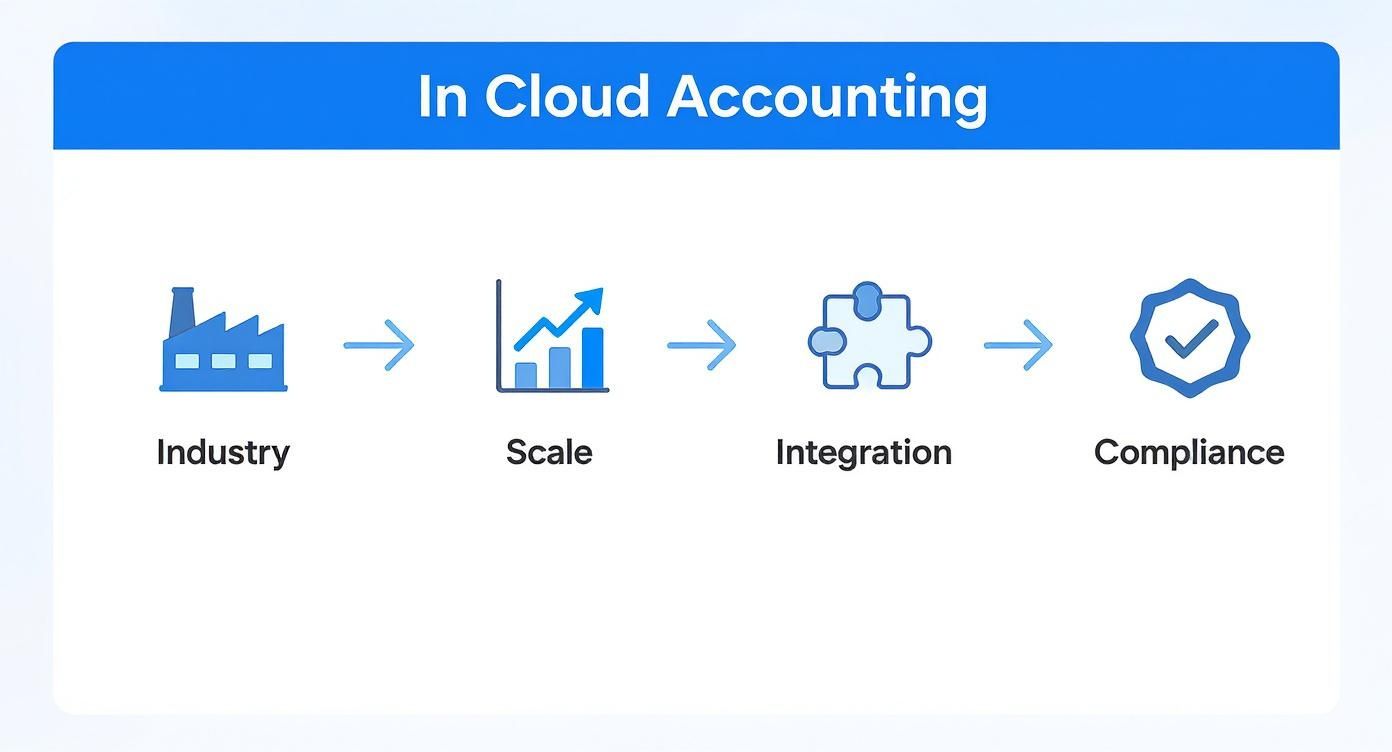
As you can see, the best platform is one that genuinely fits your business, not just one that ticks a generic list of features.
Step 4: Import Your Historical Data
To get a complete, meaningful picture of your financial health, you’ll need to bring your past data across. Most platforms let you import historical info using simple CSV files. You can upload opening balances, outstanding customer invoices, and unpaid supplier bills from your old spreadsheets or software.
A bit of expert advice: It’s a great idea to run your old and new systems side-by-side for one month. This lets you check that everything is working as it should and that the numbers in both systems match up perfectly. It gives you total confidence before you pull the plug on the old way of doing things.
This step ensures that from the very first report you run, you’re looking at a continuous and accurate financial history, not just data from the day you signed up.
Step 5: Train Your Team
A new tool is only useful if people know how to use it. Make sure you set aside some time to walk your team—even if it's just you and one other person—through the basics. Show them how to log expenses, raise invoices, or view the reports that matter to their roles.
Thankfully, most software providers offer a huge library of free tutorials, webinars, and support guides to make this easy. Starting with small, simple tasks builds confidence and helps everyone get comfortable with the new setup. This small investment in training pays for itself almost immediately in smooth operations and fewer headaches down the line.
Seeing Cloud Accounting in Action: Real-World Examples
It’s one thing to talk about the features of cloud accounting for small businesses, but it’s another to see it make a real difference. Let's look at a couple of scenarios that show just how powerful this shift can be for everyday UK companies.
Imagine a bustling independent shop in London. The owner was drowning in paperwork, spending more than 15 hours every week manually keying in sales, matching bank statements, and chasing down overdue payments from their corporate clients. This wasn't just tedious; it was time stolen from managing inventory and actually talking to customers.
By moving to a cloud accounting platform, everything changed. The bank feed feature automatically handled most of the transaction matching. Instead of making awkward phone calls, professional, automated reminders went out for late payments with just a few clicks. The result? A stunning 22% boost in cash flow in their first three months.
From Weeks to Days in Manchester
Now, let's head up to Manchester and visit a growing tech startup. Their month-end closing was a three-week nightmare of spreadsheets and stress. They had to pull data from different systems, manually piece together reports, and then go back and forth with their finance consultant over email.
Switching to an integrated cloud system gave them a single source of truth. Real-time dashboards meant all their financial data was in one place, always up-to-date. The process that once took them three agonising weeks now gets done in just three days. This freed them up to concentrate on what really matters: improving their product and getting ready for their next investment round.
These stories aren't just one-offs. Research shows that UK businesses embracing cloud accounting see significant savings. One study highlighted savings of up to 59% on internal costs and a massive 64% on external costs. Real-world cases like the London shop prove just how direct and powerful that impact can be. You can discover more insights about accounting trends for SMEs to see the bigger picture.
The common thread in these stories is transformation. Cloud accounting turns a reactive, time-consuming chore into a proactive, strategic advantage that directly supports growth and stability.
Ultimately, these scenarios highlight a simple truth: the right technology doesn't just organise your numbers; it gives you back your most precious asset—time. Whether you run a shop, a startup, or a service-based business, the principle holds true. Automation takes care of the grunt work, giving you the clarity and freedom to do what you do best: build your business.
Frequently Asked Questions About Cloud Accounting
Deciding to move your business's finances to a new system is a big step, and it’s only natural to have a few questions. You need to be sure it's the right move for you. We’ve put together answers to some of the most common queries we hear from UK business owners thinking about cloud accounting for small businesses.
Getting clear, straightforward answers is the best way to feel confident about the path forward.
Is My Financial Data Truly Secure in the Cloud?
This is usually the first question people ask, and for good reason. The short answer is yes, your data is incredibly secure. Top-tier cloud accounting providers use the same kind of security measures as your bank, including multiple layers of data encryption and heavily protected data centres that are monitored 24/7.
Think of it like this: your office computer is a single point of weakness. It's vulnerable to theft, a hard drive crash, or a virus. Cloud platforms, on the other hand, have entire teams of security experts dedicated to protecting your information around the clock, which makes it a much safer bet than a local file on your laptop.
Do I Still Need an Accountant with This Software?
Absolutely, but the way you work together will change for the better. The software takes care of the tedious, time-consuming data entry, which frees up your accountant to focus on what really matters: high-level, strategic advice that helps you grow your business.
Because they can see your financial data in real-time, they can stop being historians and start being proactive guides. They can help with:
- Tax Planning: Spotting ways to save you money throughout the year, not just in a last-minute scramble.
- Cash Flow Forecasting: Helping you see potential tight spots on the horizon before they become a real problem.
- Business Growth Strategy: Using up-to-the-minute data to advise you on big decisions.
In short, your accountant evolves from a record-keeper into a strategic financial partner.
How Hard Is It to Switch from Spreadsheets?
It's much easier than you might think. Modern platforms are designed to be user-friendly, with simple setup wizards that walk you through the whole process. You can often import your existing data straight from your spreadsheets. While there’s a small learning curve, most business owners are up and running far quicker than they expect.
The real game-changer is connecting your bank accounts. This automates the vast majority of your transaction entries from day one, instantly eliminating the most frustrating part of using spreadsheets for bookkeeping.
Can I Access My Accounts When I Am Offline?
You'll need an internet connection for live updates and syncing, but many cloud accounting platforms have mobile apps with clever offline modes. This means you can still do essential tasks like raising an invoice or snapping a receipt for an expense, even without a signal.
As soon as you're back online, the app automatically syncs everything you've done. Your books stay complete and up-to-date without missing a beat.
Is Cloud Accounting Expensive for a Small Business?
Cloud software usually runs on a subscription model, which is much kinder to a small business budget than the hefty one-off cost of traditional desktop software. You pay a manageable monthly fee, and there are often different tiers so you only pay for the features you’ll actually use.
When you add up the huge amount of time you save through automation and the reduced risk of making costly mistakes, most businesses find that cloud accounting pays for itself many times over. It’s not just another expense; it’s an investment in running your finances more effectively.
Ready to gain more time, more money, and a clearer mind? The team at Stewart Accounting Services can help you choose and implement the perfect cloud accounting solution for your business. Contact us today to get started.