

The Quarterly Business Review (QBR) is a cornerstone of strategic business management, offering a critical moment to pause, reflect, and realign. Yet, many businesses fall into the trap of treating it as a perfunctory meeting, running through the same tired slides without sparking real change. A truly effective QBR requires a framework that not only captures past performance but also ignites meaningful conversation about the future. Using a well-designed quarterly business review template can transform this process from a routine update into a powerful engine for growth.
A great template provides structure, ensures key metrics aren’t overlooked, and aligns your entire team on the priorities that matter. To ensure your QBRs truly move beyond a standard agenda, developing a winning project communication plan template can significantly enhance the effectiveness and clarity of your discussions. This guide cuts through the noise to help you find the perfect framework for your specific needs, whether you’re a sole trader managing tax returns or a growing limited company aiming for 7-figures.
We have curated and analysed 12 of the best QBR templates available, from the dynamic digital whiteboards of Mural to the polished presentations of Beautiful.ai. Each review includes screenshots, direct links, and an honest assessment of its pros and cons, helping you make your next review the most productive one yet.
1. Mural
Mural positions its quarterly business review template not just as a document, but as an interactive workshop. It excels at transforming the QBR process from a static presentation into a dynamic, collaborative session, making it ideal for distributed or hybrid teams aiming to foster genuine engagement and alignment. The platform is built around a digital whiteboard concept, allowing teams to work together in real time.
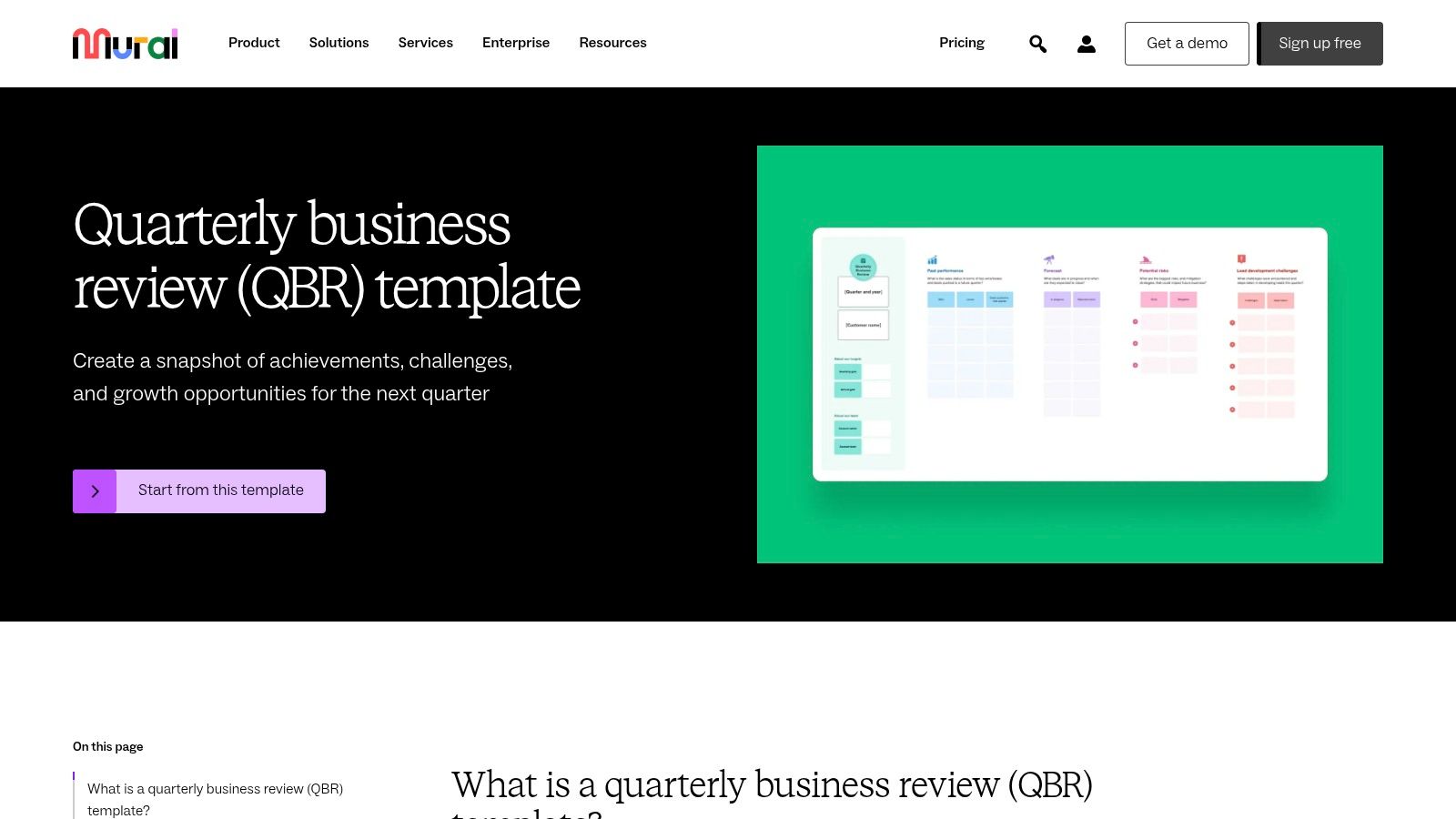
The strength of this quarterly business review template lies in its structure for facilitated discussions. It guides users through reviewing past performance, analysing key metrics, identifying roadblocks, and collaboratively setting future objectives and key results (OKRs). This makes it particularly effective for businesses transitioning towards a more transparent and participatory planning culture.
Practical Insights
- Best for: Remote or hybrid teams focused on collaborative strategy sessions.
- Access: A paid subscription is required for full functionality, though a free plan with limited features is available for teams to trial the platform.
- Limitations: The sheer number of features can present a learning curve for teams unfamiliar with digital whiteboard tools.
Pro-Tip: To maximise engagement, pre-populate sections of the template with key data before the meeting. Use the built-in timer feature to keep each segment of the review focused and on schedule, ensuring all agenda items are covered effectively.
Website: Mural Quarterly Business Review Template
2. SurveySparrow
SurveySparrow approaches the QBR from a unique angle, framing it as an opportunity to gather strategic business insights through conversational surveys. It excels at collecting structured feedback from stakeholders, clients, or internal teams, making it ideal for organisations that prioritise data-driven performance analysis and want to quantify qualitative sentiment. The platform transforms static questionnaires into engaging, mobile-responsive experiences.
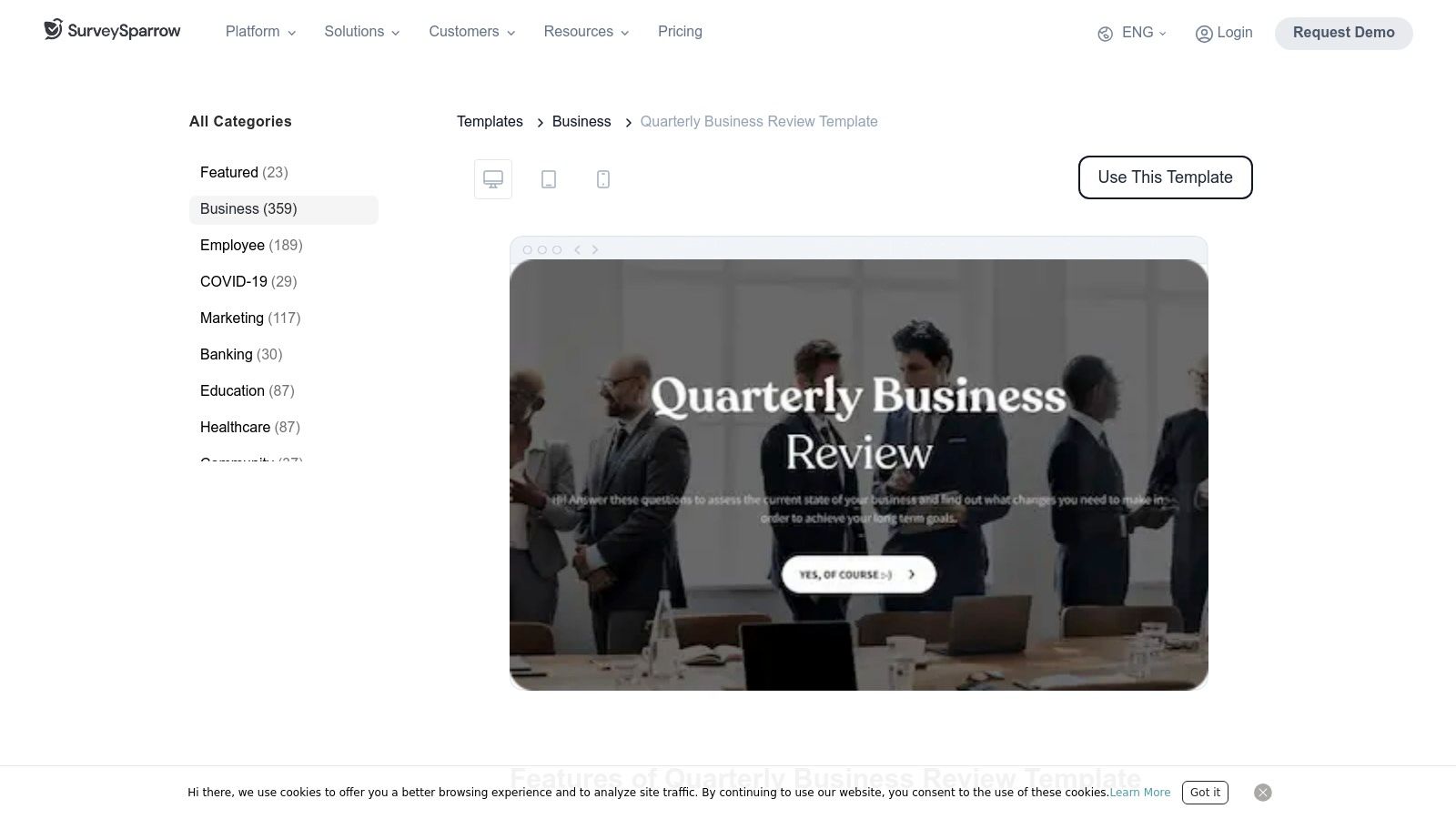
The primary strength of this quarterly business review template is its customisability and ease of distribution. It allows managers to evaluate performance, pinpoint operational bottlenecks, and identify growth opportunities by analysing responses. This makes it particularly valuable for customer success, sales, and product teams looking to integrate direct feedback into their strategic planning cycles.
Practical Insights
- Best for: Businesses wanting to integrate customer or team feedback directly into the QBR process.
- Access: A free plan allows for basic survey creation, but paid subscriptions are needed to unlock advanced features and remove branding.
- Limitations: The focus on surveys means it’s less suited for real-time collaborative workshops or detailed financial modelling directly within the template.
Pro-Tip: Use skip logic and display logic within the survey to create a personalised experience for different stakeholders. For instance, you could show specific questions only to the sales team while directing clients to a section focused on satisfaction and future needs.
Website: SurveySparrow Quarterly Business Review Template
3. Qwilr
Qwilr elevates the quarterly business review from a simple report to a polished, interactive web page. Its approach centres on creating client-facing documents that are not only visually impressive but also dynamic, turning the review into a compelling digital experience. This is ideal for account management and sales teams who need to present performance data and strategic plans in a highly professional format that commands attention.
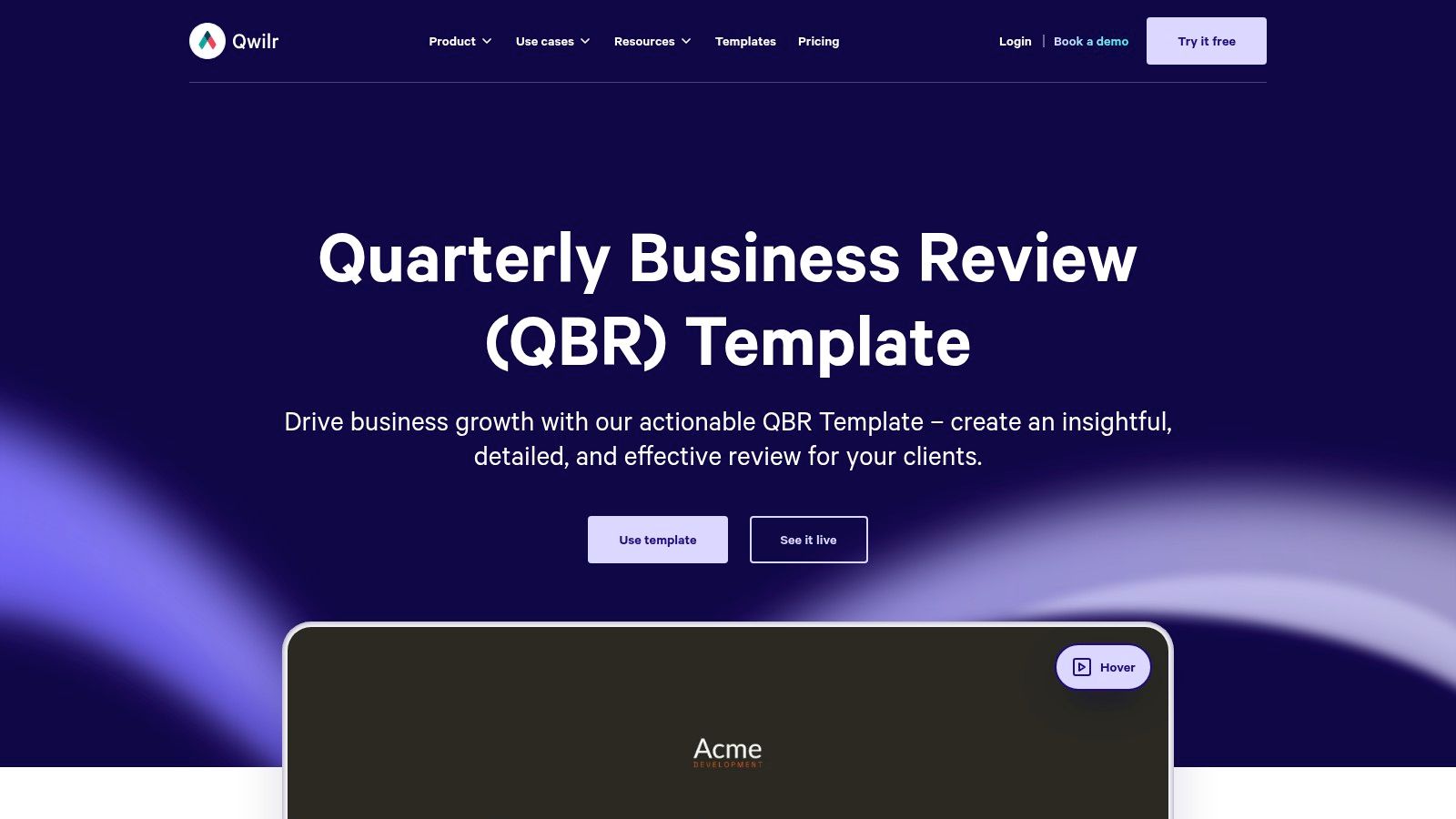
The key strength of this quarterly business review template is its ability to blend data with narrative seamlessly. Features like embedded videos, interactive pricing tables, and analytics tracking transform a standard review into an engaging asset. It’s particularly effective for businesses focused on customer success and retention, as it allows them to demonstrate value and secure approvals with built-in e-signature functionality, streamlining the entire client engagement cycle.
Practical Insights
- Best for: Client-facing teams, such as account managers and customer success, needing to create impressive, data-driven review documents.
- Access: A paid subscription is required. Qwilr offers tiered plans based on features and the number of users.
- Limitations: Its premium positioning comes with a higher cost than simpler template solutions, and unlocking its full potential requires an initial time investment.
Pro-Tip: Use the analytics feature to track how clients interact with your QBR document. Knowing which sections they spend the most time on provides valuable insight into their priorities, allowing you to tailor your follow-up conversations for maximum impact.
Website: Qwilr Quarterly Business Review Template
4. Dashway
Dashway provides a free, downloadable quarterly business review template built entirely in Excel. This approach targets small to medium businesses that prefer a familiar, straightforward tool without the need for new software subscriptions. It stands out by offering dynamic dashboards and editable charts within a universally accessible format, making data analysis tangible and direct.
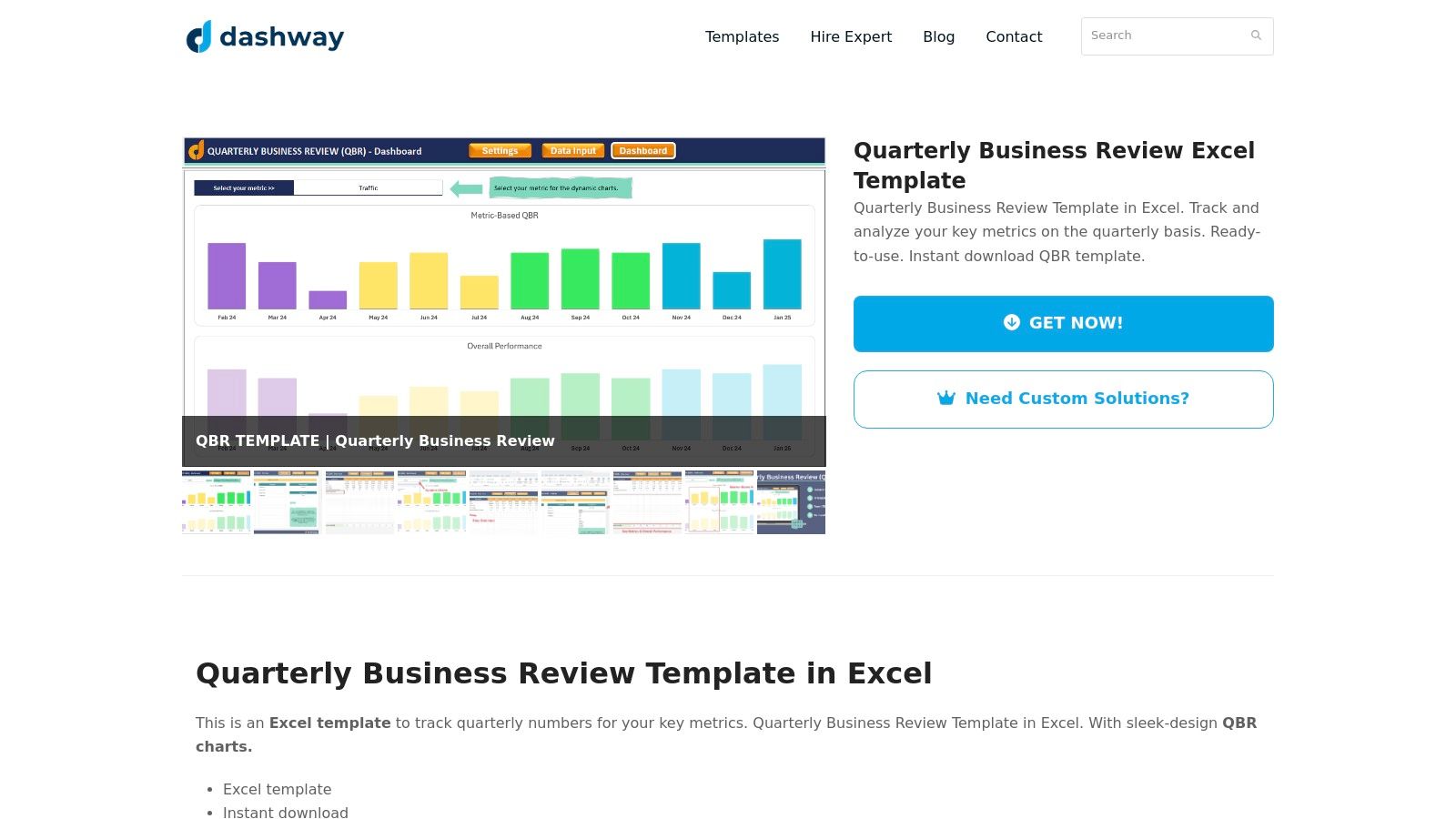
The template’s main strength lies in its simplicity and customisability. Users can easily modify metrics, input their own data, and leverage pre-built dropdown menus to streamline the process. This makes it an excellent choice for businesses needing a functional, no-frills solution for tracking performance, visualising trends, and preparing for review meetings without the complexity of collaborative online platforms. It is a practical tool for focused, internal analysis.
Practical Insights
- Best for: Small businesses or solo managers needing a simple, data-driven template without software costs.
- Access: Completely free to download and use directly from their website.
- Limitations: Lacks real-time collaboration features and is confined to the technical capabilities of Microsoft Excel, which may be a constraint for larger, distributed teams.
Pro-Tip: Before use, spend time customising the metrics in the Excel sheet to perfectly align with your business’s specific Key Performance Indicators (KPIs). This ensures the dynamic charts and dashboards provide a truly relevant and insightful overview of your quarterly performance.
Website: Dashway Quarterly Business Review Template
5. Fab Solutions
Fab Solutions offers a straightforward and pragmatic approach to the quarterly business review, providing a free, downloadable template aimed at clarity and efficiency. It strips back the complexity often associated with QBRs, focusing instead on the core metrics and discussion points that drive meaningful conversations. This makes it an excellent starting point for small to medium-sized businesses, account managers, and customer success teams who need a functional tool without a steep learning curve.
The strength of this quarterly business review template lies in its simplicity and customisability. It provides a solid framework covering performance against goals, key wins, challenges, and future planning. Because it is a downloadable file rather than a software platform, it offers complete flexibility for teams to adapt it to their specific terminology and key performance indicators (KPIs), making the review process highly relevant to their unique business context.
Practical Insights
- Best for: SMEs, account managers, and customer success teams seeking a simple, no-cost, and easily adaptable template.
- Access: The template is completely free to download directly from their website after providing contact information.
- Limitations: Lacks the advanced collaborative features of digital whiteboard platforms and requires manual data entry and customisation.
Pro-Tip: Before distributing the template, customise the sections to align perfectly with your company’s specific goals and reporting standards. For customer-facing QBRs, pre-fill the performance data and share it with the client beforehand to allow them time to prepare questions, leading to a more productive and collaborative meeting.
Website: Fab Solutions QBR Template
6. SlideEgg
SlideEgg focuses on providing professionally designed, ready-to-use presentation templates, making it an excellent resource for teams that need to deliver a polished and visually compelling quarterly review. Unlike collaborative platforms, its strength lies in offering a vast library of downloadable PowerPoint and Google Slides templates that are fully customisable. This approach is ideal for leaders who need to prepare a structured, data-driven narrative for stakeholders, prioritising clarity and professional aesthetics.
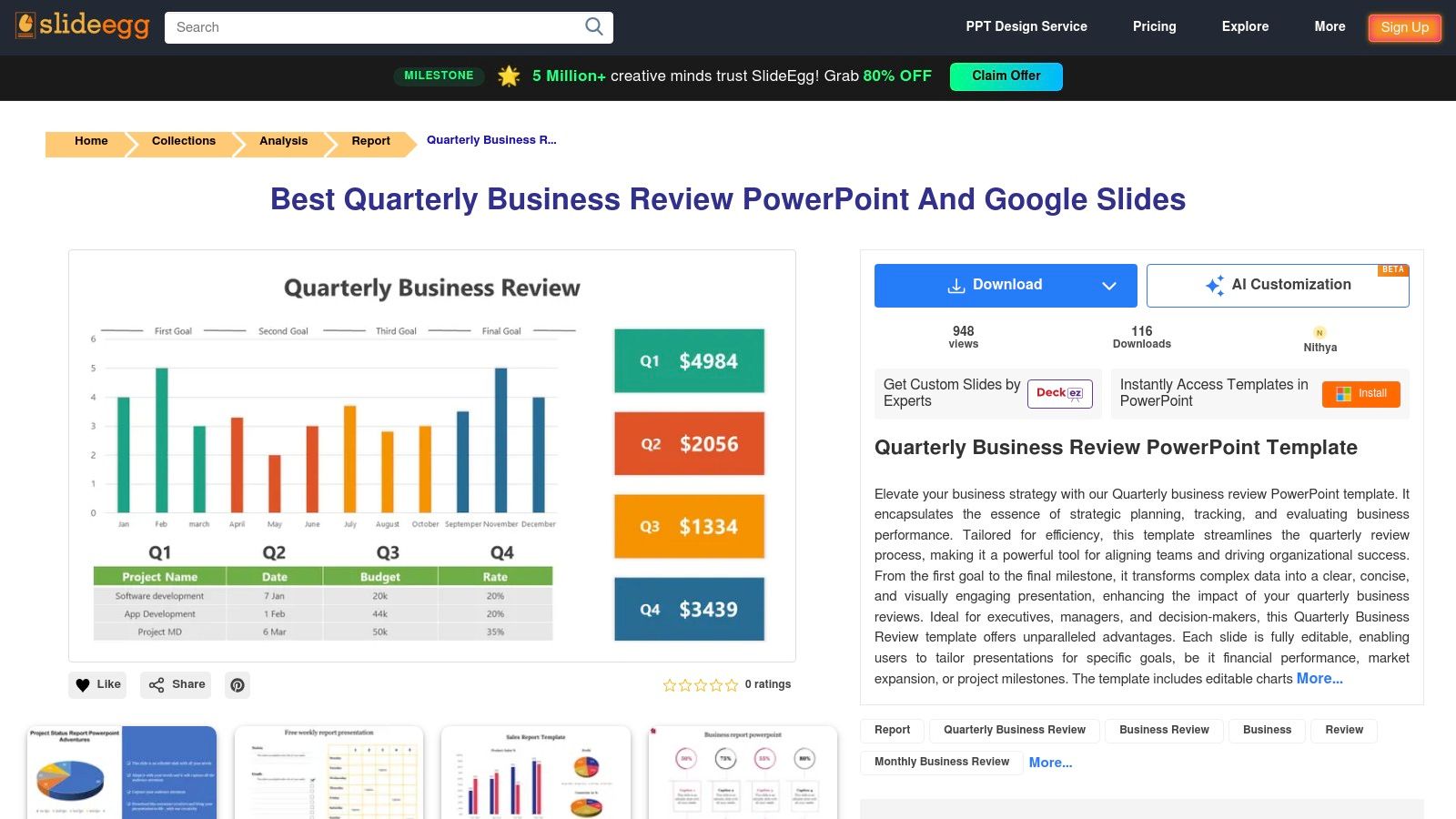
The primary advantage of this quarterly business review template selection is its simplicity and efficiency. Users can quickly download a design, insert their specific data into pre-formatted charts and graphs, and adapt the colour schemes to match their company’s branding. This saves significant time on presentation design, allowing teams to concentrate on the quality of the insights and the story behind the numbers, rather than the formatting.
Practical Insights
- Best for: Businesses that prioritise polished, traditional presentations for their QBRs.
- Access: Offers a mix of free and premium templates. Paid templates are available for individual purchase or through a subscription plan.
- Limitations: The templates are purely for presentation and lack built-in collaborative features, making them less suitable for interactive working sessions.
Pro-Tip: Choose a template that closely aligns with your meeting’s narrative structure. Pre-populate all your key performance indicators (KPIs) and financial data before the review. Utilise the different slide layouts to create a clear flow, moving from past performance analysis to future strategic goals.
Website: SlideEgg Quarterly Business Review
7. Jotform
Jotform offers its quarterly business review solution not as a static document, but as a customisable online board. It excels at organising performance evaluations and strategic reviews into a streamlined workflow, leveraging its powerful form-building capabilities to gather data efficiently. The platform’s drag-and-drop interface makes it simple for teams to manage tasks and track progress visually.
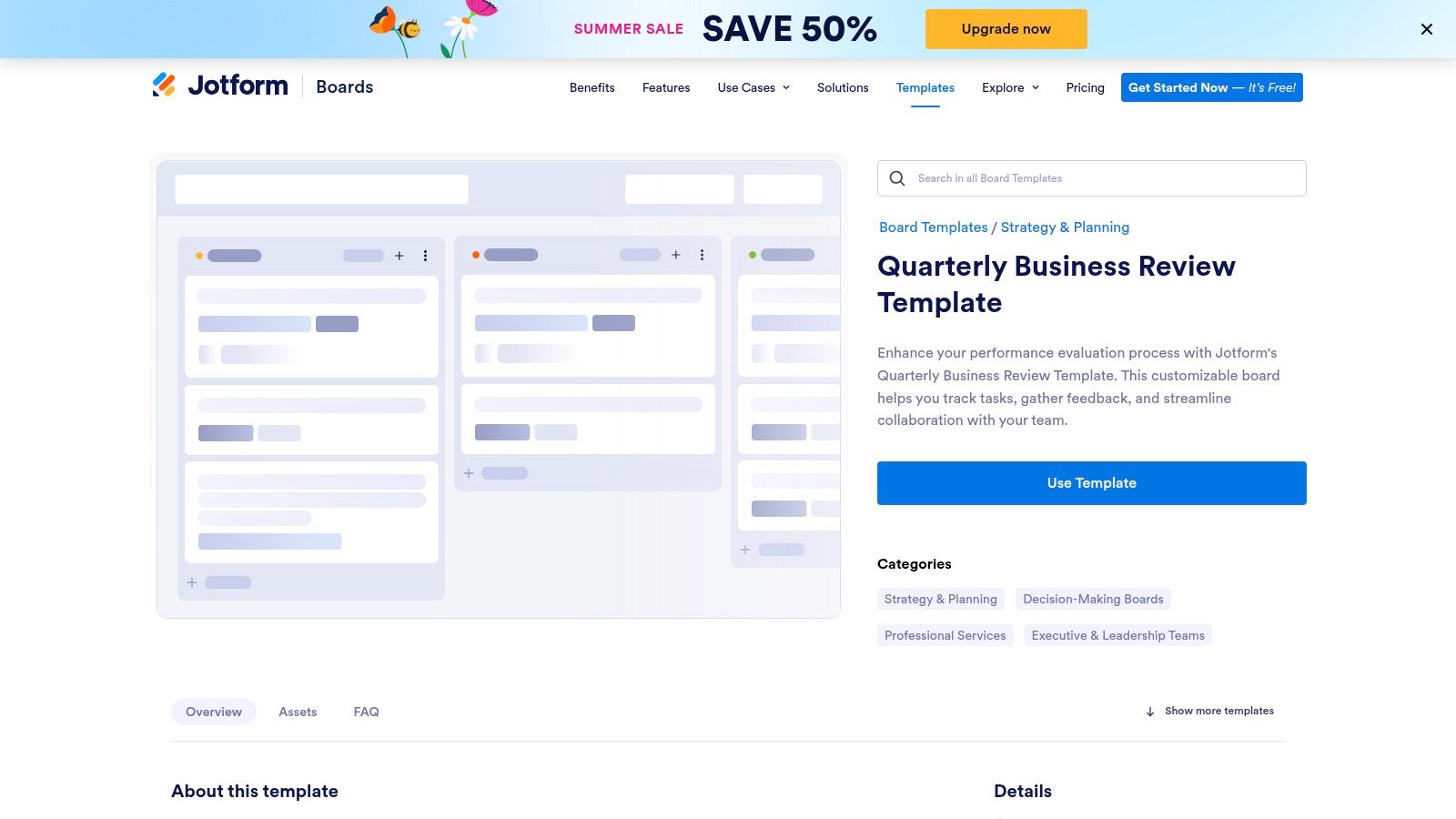
The primary strength of this quarterly business review template is its integration with Jotform’s core products. Teams can create custom forms to collect feedback, performance data, or client insights, which then automatically populate cards on the QBR board. This creates a seamless, centralised system for gathering information and turning it into actionable discussion points, making it highly suitable for data-driven organisations across various industries.
Practical Insights
- Best for: Businesses that already use Jotform for data collection or want an integrated form-to-board solution.
- Access: A free Jotform account is required to use the template, but advanced features and higher usage limits necessitate a paid subscription.
- Limitations: The experience is heavily tied to the Jotform ecosystem, which may not be ideal for teams already committed to other project management tools.
Pro-Tip: Create a pre-QBR survey using Jotform’s form builder and link it to your board. This allows you to collect individual team members’ perspectives on wins, challenges, and opportunities beforehand, ensuring the live review is more focused and productive.
Website: Jotform Quarterly Business Review Template
8. Beautiful.ai
Beautiful.ai focuses on the final output of a QBR: the presentation. It offers an AI-powered design platform that makes creating professional, visually stunning presentations effortless. This tool excels at taking your data and narrative and quickly organising them into clean, impactful slides, ensuring your quarterly review is communicated with clarity and professionalism.
The core strength of this quarterly business review template is its smart design system. Instead of manually adjusting text boxes and aligning elements, the platform automatically adapts the slide layout as you add content. Interactive charts and graphs can be updated with new data in seconds, saving significant preparation time while maintaining a high-quality, branded look for your performance reports.
Practical Insights
- Best for: Teams and leaders who need to create polished, data-driven QBR presentations quickly.
- Access: A paid subscription is required for full functionality and to remove watermarks. A free trial is available to explore the features.
- Limitations: Its focus on presentation design means it lacks the collaborative, workshop-style features of whiteboard tools. It also has limited offline capabilities.
Pro-Tip: Use the ‘Team Slides’ feature to create a master QBR template with your company’s branding and key slide formats. This ensures consistency across all departments and allows team members to contribute their sections seamlessly into one cohesive presentation.
Website: Beautiful.ai Quarterly Business Review Template
9. 24Slides
24Slides offers a highly professional and polished presentation template designed specifically for corporate environments. Unlike more collaborative or data-intensive platforms, its strength lies in visual communication, providing a sleek, ready-to-use PowerPoint framework for presenting QBR findings to stakeholders, leadership, or board members. It focuses on clarity and impact, ensuring key messages are delivered effectively.
This quarterly business review template is ideal for businesses that need to standardise their reporting format across different departments. It includes 10 customisable slides covering essential areas such as progress against goals, project performance, financial highlights, and key wins. Its design-centric approach helps transform raw data into a compelling narrative, making complex information easier for an audience to digest and understand.
Practical Insights
- Best for: Businesses requiring a polished, corporate-style presentation for executive and stakeholder meetings.
- Access: The template is completely free to download and use.
- Limitations: It is limited to the PowerPoint format and requires manual data entry, as it does not integrate with data sources directly.
Pro-Tip: Customise the master slide with your company’s branding (logo, colour palette, and fonts) before you start adding content. This ensures brand consistency across all your quarterly reviews and saves significant time in the long run.
Website: 24Slides Quarterly Business Review Template
10. SlidesCarnival
SlidesCarnival offers a straightforward and highly accessible solution for creating polished presentations. Its QBR template is designed for clarity and impact, focusing on a clean, minimal corporate aesthetic that allows data and key insights to take centre stage. It serves teams that need a professional-looking deck without the complexity of advanced design software or the cost of premium templates.
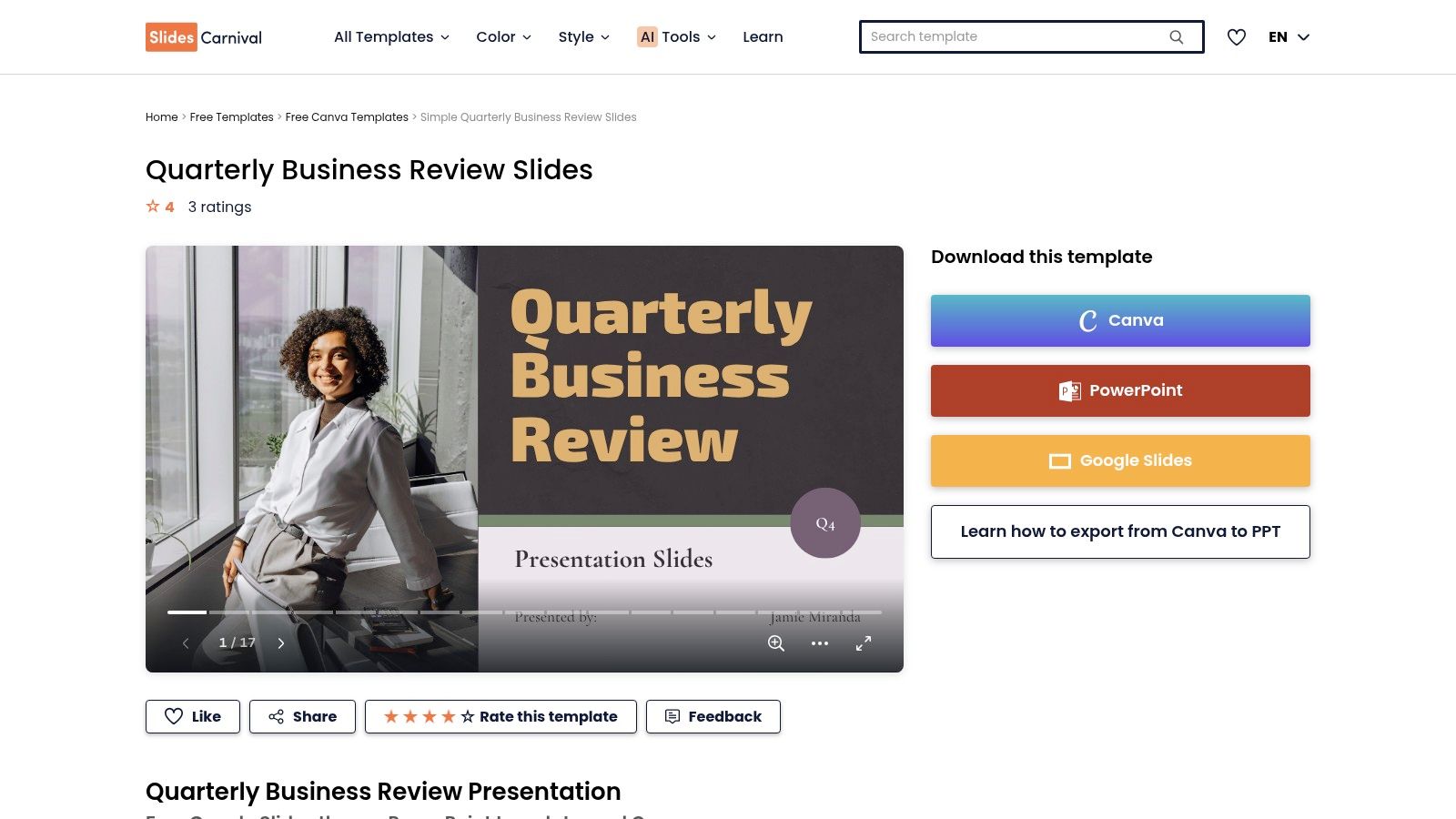
This quarterly business review template stands out for its simplicity and direct compatibility with both Google Slides and PowerPoint. With 17 ready-to-use slides, it provides a solid foundation that can be quickly customised to fit a company’s branding and specific reporting needs. It is an excellent choice for small to medium-sized businesses or individual teams looking for a no-fuss, effective presentation tool.
Practical Insights
- Best for: Teams and businesses needing a free, professional-looking presentation template that is easy to edit.
- Access: The template is completely free to download and use with either Google Slides or PowerPoint.
- Limitations: Lacks advanced interactive features found in dedicated platforms and requires manual data entry for all charts and figures.
Pro-Tip: Download the template into your preferred platform (Google Slides or PowerPoint) and create a master version with your company’s logo and colour scheme. This saves time for future QBRs, ensuring brand consistency across all presentations.
Website: SlidesCarnival Quarterly Business Review Template
11. SlideShare
SlideShare offers a straightforward and highly accessible quarterly business review template in PDF format, serving as a foundational guide rather than an interactive tool. Its value lies in providing a clear, pre-defined agenda that helps businesses structure their QBR meetings effectively. This template is designed for those who prefer a traditional, no-frills approach to meeting preparation, focusing purely on the core components of a successful review.
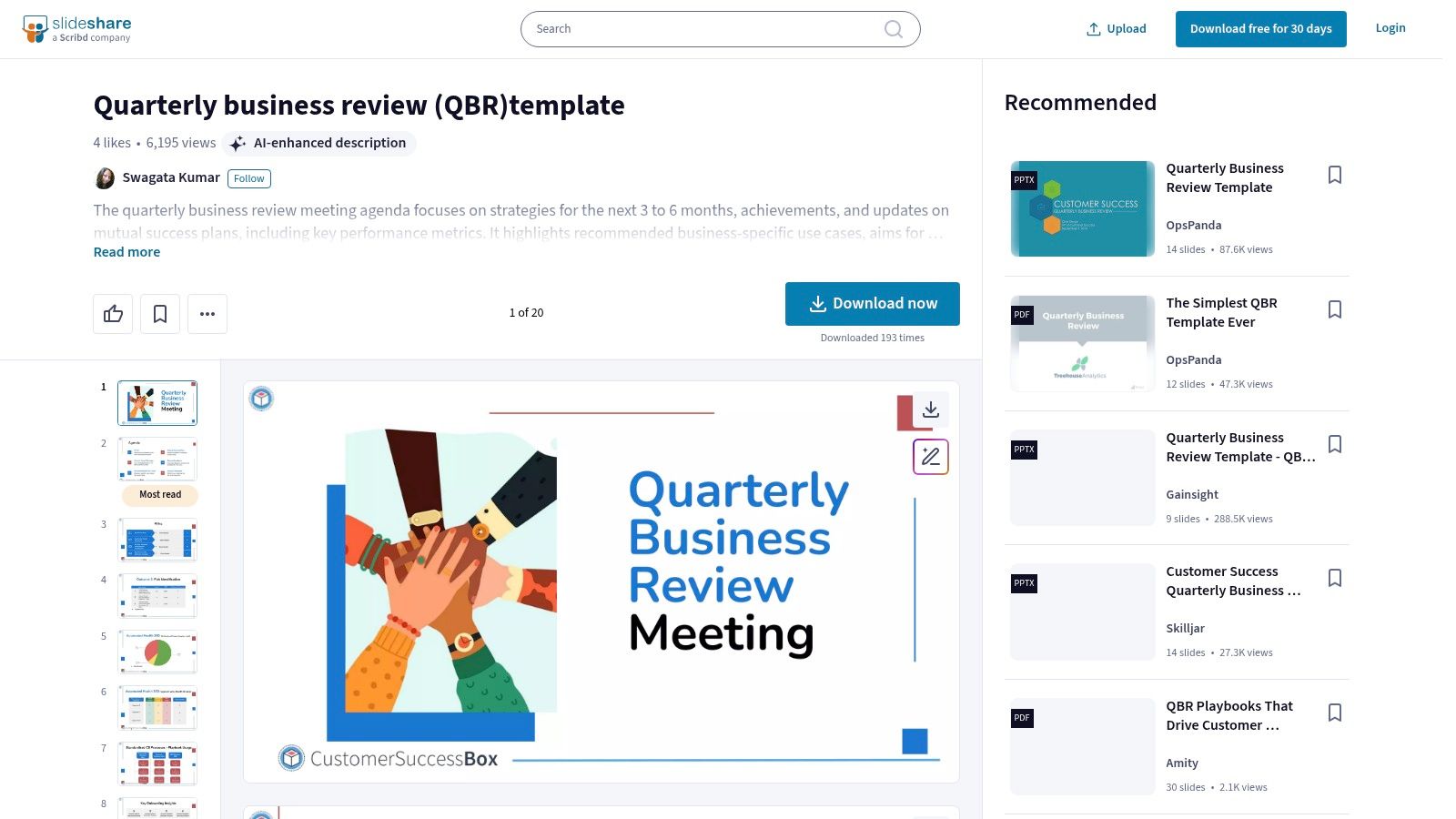
The resource outlines key discussion points, from reviewing past strategies and achievements to analysing critical performance metrics. It acts as a reliable blueprint for organising your thoughts and data before a presentation. This makes it an excellent starting point for small businesses or teams new to the QBR process who need a simple framework to build upon without the complexity of specialised software.
Practical Insights
- Best for: Start-ups and small businesses seeking a simple, free agenda to guide their first QBRs.
- Access: The PDF template is completely free to view and download directly from the SlideShare platform.
- Limitations: As a static PDF, it offers no customisation options and all data must be manually compiled and inserted into a separate presentation document.
Pro-Tip: Use this template as a checklist to ensure you have gathered all necessary information. Transfer the agenda points into your preferred presentation software, like PowerPoint or Google Slides, and then populate each section with your specific data and insights for a customised delivery.
Website: SlideShare Quarterly Business Review Template
12. TemplateLab
TemplateLab stands out by offering a no-nonsense, practical collection of free quarterly business review templates. Rather than a platform-based solution, it provides a library of downloadable files in familiar formats like Microsoft Word and Excel, making it highly accessible for businesses of any size that prefer traditional documentation methods. This approach prioritises customisation and straightforward use without the need for new software adoption.
The primary strength of this quarterly business review template collection is its versatility. The templates are designed to be easily edited, allowing teams to quickly adapt sections to fit their specific reporting needs, from sales performance reviews to project milestone tracking. This makes it an excellent resource for small to medium-sized businesses or teams seeking a simple, effective framework for organising their QBR discussions. For additional resources on templates that can elevate any business meeting, including QBRs, explore these 12 best meeting invitation template resources.
Practical Insights
- Best for: Businesses of all sizes looking for free, easily customisable templates in standard document formats.
- Access: All templates are completely free to download and use without requiring any sign-up.
- Limitations: The templates require manual data input and lack the automated data integration or collaborative features found in software-based platforms.
Pro-Tip: Choose a template and customise it to create a standardised company format. Before your review, link your core spreadsheets directly to the Excel version to create a dynamic dashboard that updates automatically as you input new data, saving significant preparation time.
Website: TemplateLab Quarterly Business Review Templates
Quarterly Business Review Template Comparison
| Product | Core Features/Characteristics | User Experience/Quality ★★★★☆ | Value Proposition 💰 | Target Audience 👥 | Unique Selling Points ✨ |
|---|---|---|---|---|---|
| Mural | Interactive templates, real-time collaboration | User-friendly, ★★★★☆ | Subscription-based 💰💰 | Remote/distributed teams 👥 | Customizable QBR templates, integrations 🏆 |
| SurveySparrow | Customizable surveys, mobile responsive | Easy setup, actionable insights, ★★★★☆ | Tiered plans 💰💰 | Tech, retail, healthcare, manufacturing 👥 | Responsive survey design, multi-section surveys ✨ |
| Qwilr | Interactive templates, e-signature, real-time analytics | Professional, polished, ★★★★★ | Higher cost 💰💰💰 | Businesses needing formal proposals 👥 | Built-in e-signature, analytics 🏆 |
| Dashway | Excel template, dynamic charts | Simple, no collaboration, ★★★☆☆ | Free 💰 | Small-medium businesses 👥 | Free download, Excel format, easy customization ✨ |
| Fab Solutions | Customizable template, key metrics focus | Simple, efficient, ★★★☆☆ | Free 💰 | Business leaders, account managers 👥 | Collaboration-focused, easy to use ✨ |
| SlideEgg | PowerPoint/Google Slides, editable charts | Easy download/edit, ★★★★☆ | Some paid templates 💰 | Businesses presenting reviews 👥 | Multiple formats and themes ✨ |
| Jotform | Board template, drag-and-drop, integration | Collaborative, streamlines process ★★★★☆ | Subscription for advanced 💰 | Teams across industries 👥 | Form builder integration, drag-and-drop ✨ |
| Beautiful.ai | Customizable presentations, interactive charts | High quality, saves time, ★★★★☆ | Subscription-based 💰💰 | Businesses needing fast reports 👥 | Interactive graphs, user-friendly UI ✨ |
| 24Slides | 10 customizable slides, charts | Professional, easy to customize ★★★★☆ | Free 💰 | Corporate presentations 👥 | Free, professional design ✨ |
| SlidesCarnival | 17 slides, Google Slides & PowerPoint compatibility | Easy customization, ★★★★☆ | Free 💰 | Corporate users 👥 | Multi-platform, professional design ✨ |
| SlideShare | PDF format, meeting agenda | Structured but limited customization ★★★☆☆ | Free 💰 | Various industries 👥 | Free PDF template, structured agenda ✨ |
| TemplateLab | Multiple formats (Word, Excel), customizable | Easy editing, ★★★★☆ | Free 💰 | Various business sizes 👥 | Variety of formats, focus on analysis ✨ |
From Template to Triumph: Elevating Your Business Strategy
We have explored a comprehensive list of tools, from Mural’s collaborative whiteboards to the straightforward presentations of SlidesCarnival. The journey from selecting a quarterly business review template to executing a truly impactful QBR is about more than just aesthetics; it is about finding a framework that supports your company’s unique rhythm and strategic objectives. A powerful template serves as the skeleton, but the substance comes from the quality of your data and the depth of your analysis.
The right choice hinges on your specific operational needs. A dynamic, tech-forward team might gravitate towards the interactive capabilities of Qwilr or Beautiful.ai, which foster real-time engagement and storytelling. Conversely, a business that prioritises deep data analysis and tangible performance metrics may find the structured, data-centric formats offered by tools like Jotform or even a customised spreadsheet-based template from TemplateLab more effective. The key is to move beyond a simple “what happened” report and use your chosen template to facilitate a conversation about “what’s next”.
Key Takeaways for Effective Implementation
To ensure your QBRs drive meaningful progress, remember these core principles:
- Align the Template with Your Goals: Don’t let the template dictate your meeting. Choose one that you can adapt to focus on your most critical Key Performance Indicators (KPIs), challenges, and opportunities.
- Prioritise Data Integrity: The insights you draw are only as reliable as the data you input. Ensure your financial and operational metrics are accurate, up-to-date, and consistently tracked. Poor data leads to poor decisions.
- Foster a Collaborative Culture: A QBR should not be a top-down lecture. Use your template to encourage participation, gather diverse perspectives, and build collective ownership over the company’s strategic direction.
- Focus on Actionable Outcomes: The ultimate goal is not just to review the past quarter but to define clear, actionable steps for the next one. Every QBR should conclude with a defined set of priorities, assigned owners, and clear deadlines.
Moving Beyond the QBR
Ultimately, a quarterly business review template is one component of a much larger strategic ecosystem. To truly elevate your business strategy, leveraging tools like essential project documentation templates can provide the structured foundation you need to execute the plans formulated during your reviews. By integrating your QBR process with robust project management and documentation, you create a powerful, self-reinforcing cycle of planning, execution, and review. This holistic approach transforms your strategic vision from a high-level concept into a tangible, day-to-day operational reality, ensuring that the momentum gained in your QBR meeting translates into measurable growth.
A successful quarterly business review depends on accurate, well-organised financial data. If managing your bookkeeping, payroll, or VAT returns is pulling you away from strategic planning, let Stewart Accounting Services provide the clarity you need. We empower UK businesses to make informed decisions with precise, timely financial reporting, so you can focus on leading your business to its next triumph. Discover how Stewart Accounting Services can support your growth journey.