

HMRC Tax Return for Self Employed: Step-by-Step Guide

You open the January bill and the figure is roughly one and a half times what you set aside. The return itself is not wrong. The cash plan was. An HMRC tax return for self-employed people is the output of a year of bookkeeping, not a form you start in the last week of January. More than 11 million customers declare and pay through Self Assessment each year, including landlords and people with employment or pension income above £100,000, and around 97% of those who had filed by 31 January 2023 did it online, according to the HMRC annual report and accounts 2022 to 2023. The form only works if turnover, expenses and tax reserves were settled months earlier.
Deadlines and Penalties You Need to Know
If last year's tax was £4,000 and you have set aside nothing, January can bring both the balancing payment and the first payment on account. The deadline is fixed, so cash planning needs to happen before the month arrives.
The tax year ends on 5 April. Income earned up to 5 April 2026 falls within the 2025-26 tax year. The GOV.UK Self Assessment deadlines give the online filing and payment deadline as 31 January after the tax year, with a second payment on account due 31 July. Paper returns must generally reach HMRC by 31 October.
| Task | Due date | What happens if you miss it |
|---|---|---|
| Register for Self Assessment | 5 October after the tax year you started trading | You cannot file a return until you are registered |
| Paper return | 31 October | Late-filing penalties apply |
| Online return and balancing payment | 31 January | £100 penalty even if no tax is owed, then daily £10 penalties |
| First payment on account | 31 January | Late-payment interest and 5% penalties on unpaid tax |
| Second payment on account | 31 July | Late-payment interest and 5% penalties on unpaid tax |
What the charges actually do
A late return triggers an initial £100 penalty, even if you owe no tax. If it remains outstanding, HMRC can add £10 a day for up to 90 days, reaching a maximum extra £900. After six months, a further penalty of 5% of tax due or £300, whichever is greater, may apply. The same penalty may apply again after 12 months.
Late payment brings separate charges. HMRC can add a penalty of 5% of unpaid tax at 30 days, six months and 12 months, as well as interest. Irregular income makes it harder to keep enough cash available, so set aside money as sales come in rather than relying on a strong month near the deadline.
Practical rule: Record the January deadline and reserve cash for it. The amount due can include both last year's balancing payment and this year's first instalment.
Register and Gather Records Before You File
The setup mistake I see most often is opening the return with a shoebox of mixed receipts and a personal current account that paid for both stock and the weekly shop. Fix the records first. The form is then a transcription job.
Register early enough for the UTR to arrive. If you are new to Self Assessment, register well before 5 October after the tax year you started trading. The Unique Taxpayer Reference comes by post, and you cannot file without it. Waiting until the week of the deadline is how a simple return becomes a late one.
Split the bank trail. Open a separate business account and reconcile it monthly. Match every sale in and every allowable cost out. Private withdrawals are not expenses. Mark them as drawings so they never reduce profit.
Keep the evidence you will not upload. Invoices and receipts stay in your records. HMRC does not want them with the return, but you need them if the figures are questioned. Our guide on what records to keep for Self Assessment sets out a filing order that survives a quiet January and a busy one.
Pick the accounting basis before you total anything. Eligible sole traders can use cash basis, which follows money in and money out. Only allowable business costs reduce taxable profit. Switching basis halfway through a year without a clear cut-off is how sales get counted twice.
A freelance photographer who took £1,400 in wedding fees and finished with £300 of profit still has a filing question. Modest profit does not erase gross receipts. If those receipts sit over the trading allowance, the return is due.
Build one folder for the tax year: bank statements, sales records and expense receipts, each category totalled. If a total will not tie to the bank, do not put it on the return yet.
Why Your Turnover Decides MTD, Not Your Profit
A sole trader turns over £52,000 and keeps £9,000 after costs. The profit may look modest, but Making Tax Digital uses qualifying income, not profit after expenses. For this test, qualifying income combines gross self-employment and property income before expenses.

The HMRC guidance on using Making Tax Digital for Income Tax for the first time sets out the qualifying-income thresholds: above £50,000 from 6 April 2026, above £30,000 from 6 April 2027, and above £20,000 from 6 April 2028. These thresholds apply to any sole trader or landlord whose qualifying income crosses the line, whatever type of trade they run.
| From | Qualifying income above |
|---|---|
| 6 April 2026 | £50,000 |
| 6 April 2027 | £30,000 |
| 6 April 2028 | £20,000 |
A freelancer with £28,000 of self-employed turnover and £6,000 of rental income has £34,000 in combined qualifying income. That is below the 2026 threshold and above the 2027 threshold. Calculate from turnover and rental income before expenses; software cannot correct a figure based on profit instead. The MTD qualifying income guidance explains how the combined test works.
Quarterly updates report summaries from digital records. They are not four extra tax returns, and the annual return and payment dates remain. Keep the records useful throughout the year:
- Classify each receipt as business or personal before totalling it.
- Record drawings separately so personal spending does not distort business figures.
- Include property income in the qualifying-income calculation, even if it comes from a single let.
If turnover is close to a threshold, monitor it as the year progresses and plan for the reporting duty that may follow. Mixed income needs the same attention. For example, Self Assessment duties for foster carers can involve recording fostering income alongside other work. Year-round bookkeeping and cash planning help establish the qualifying-income position before you open the return.
Allowable Expenses and Tax You Owe
Work from gross turnover down to the balancing payment. Do the expense test before any arithmetic, or the profit figure is fiction.
- Count only spending that is wholly and exclusively for the business: stock, business travel, office costs, insurance, professional fees, and the business share of phone and internet.
- Leave out private spending and your own drawings. Split a mixed cost, such as a room used as an office, by the business-use share, and write down the basis you used. The detail sits in our sole trader allowable expenses guide.
- Turnover minus those allowable costs is taxable trading profit.
- Add other taxable income on the same annual return, including employment pay, pensions and rental profit.
- Apply the personal allowance and the Income Tax bands for that year to the combined figure, then add any Class 2 or Class 4 National Insurance that applies to the profit.
- Deduct tax already taken through PAYE or through payments on account. Student-loan repayments, where they apply, are worked out on income above the relevant threshold and collected through Self Assessment.
- What remains is the balancing payment, due by 31 January.
Check that profit against the bank reconciliation before you submit. An unexplained gap between money in and profit is the first thing a reviewer asks about.
How to Complete and Submit Your Online Return
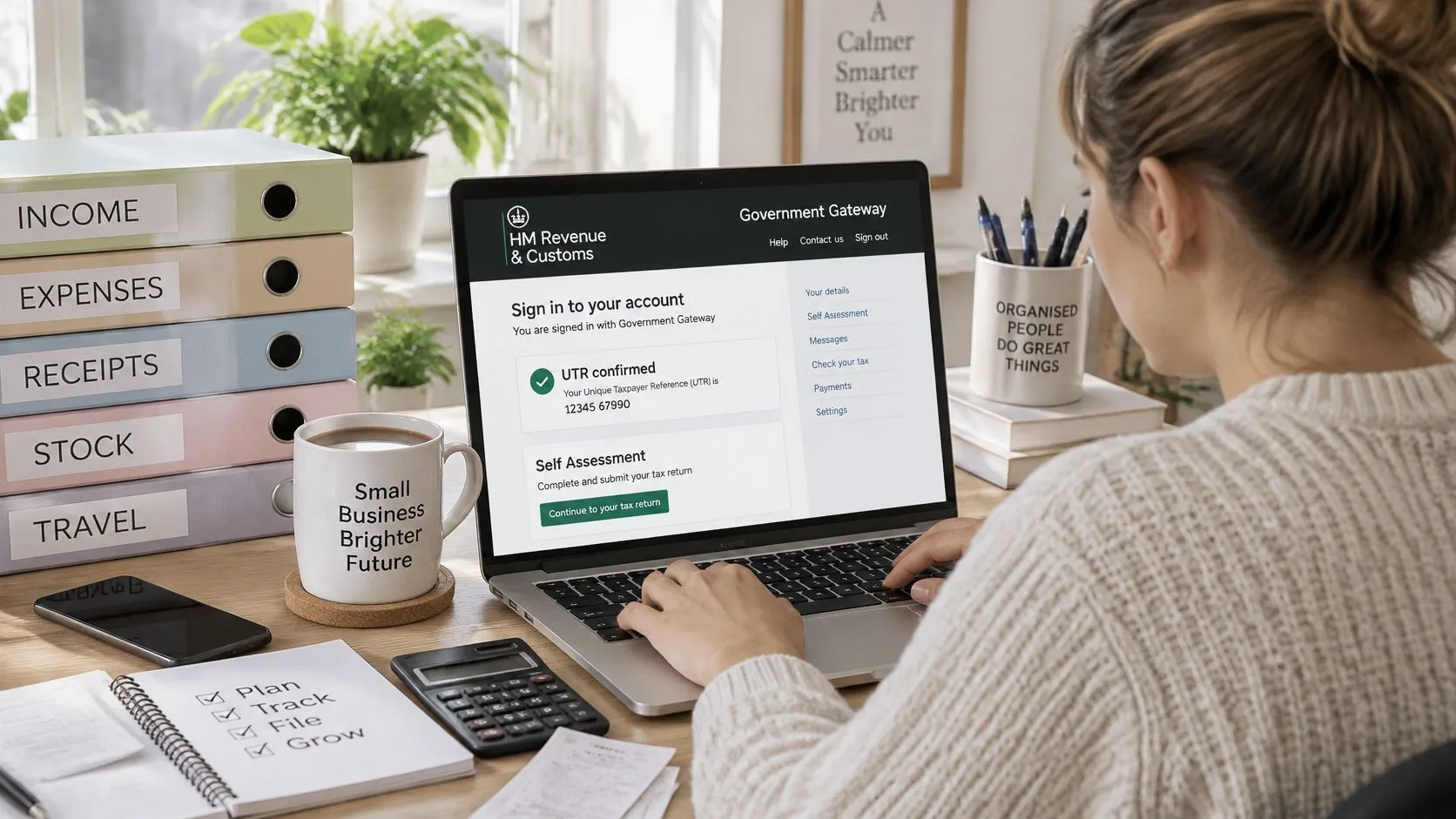
Before opening the form, make sure your bookkeeping is up to date. Your sales, expenses and other income should already be recorded, so the return reports the year's activity rather than becoming a last-minute cash-flow exercise. The HMRC top tips for filing your tax return cover registration, getting a UTR, keeping records, calculating profit, completing the self-employment pages, filing and paying.
A sole trader generally needs to file if gross trading income exceeds £1,000 before expenses. Other income can also mean you need to submit a return. Paper returns are due by 31 October; online returns by 31 January.
- Sign in and confirm the UTR. Use your Government Gateway details and check that the UTR belongs to the correct tax record. A mismatch can delay the return or lead to HMRC chasing you.
- Enter self-employment income and expenses. Record income and each expense in the appropriate category. Keep the figures consistent with your books, rather than combining unrelated costs into one total.
- Choose the pages HMRC indicates. Follow HMRC's guidance on whether to use the short or full self-employment pages, based on your turnover and any adjustments required.
- Check the profit against your records. Reconcile sales and bank receipts before submitting. If the records do not agree, investigate missing invoices or other unexplained differences first.
- Include other income. Add employment, pension or property income where applicable. PAYE deductions do not remove the need to report employment income on the return.
- Review the entries for personal costs. Check for private spending or drawings recorded as business expenses, such as a holiday flight or family meal.
- Submit online by 31 January and save the confirmation. Keep the submission receipt with your records as proof of what you filed and when.
- Pay the balancing amount using HMRC's reference. Check that the payment is allocated to the correct Self Assessment record. An unmatched payment may leave the bill showing as unpaid.
Cash basis is available to eligible sole traders and partnerships. It does not change which costs qualify as allowable expenses. Reconcile receipts to sales, keep business and personal withdrawals distinct, and retain receipts even though you do not attach them to the return.
A sound submission uses the pages HMRC directs you to, reports profit that agrees with your books, includes other income, and has a saved confirmation. Check the payment reference before paying.
Payments on Account Without Cash-Flow Shocks
The cash-flow failure is usually a misunderstanding of payments on account, not a wrong box on the return. HMRC normally wants two advance instalments, each 50% of the previous year's relevant Self Assessment liability, due on 31 January and 31 July. The January date can therefore carry both the prior-year balancing payment and the first instalment for the following year, as set out in the GOV.UK payments on account guidance.
They usually do not apply where the previous year's tax due is below £1,000, or where more than 80% of the liability was collected outside Self Assessment.
| Previous-year bill | Each payment on account | Cash to reserve by 31 January |
|---|---|---|
| Under £1,000 | None (no payments on account) | Full balancing payment only |
| £2,000 | £1,000 on 31 January and £1,000 on 31 July | About £3,000 (150%) |
| £10,000 | £5,000 on 31 January and £5,000 on 31 July | About £15,000 (150%) |
The reserve, and when to cut it
I would reserve about 150% of last year's liability by the first January deadline, then stress-test it. Higher profits, untaxed income, Class 4 National Insurance, student-loan deductions and capital gains all push the final bill up. A quiet forecast that ignores those items is optimism, not a plan.
You can claim to reduce the instalments when a lower profit forecast is supportable. Cut them too far and HMRC charges interest on the shortfall. Reduce only when the books already show the drop, not because January feels tight.
The common error is treating the January payment as a fresh bill for a new year. It is last year's remainder plus half of a repeat of last year, unless you have evidence to say otherwise.
Move a set percentage of each receipt into a separate pot as the money arrives. Rebuilding the reserve in December rarely works.
What Changes When You Stop Trading or Mix Income
PAYE on a salary does not cover self-employed profit. A rental loss does not cancel the duty to report a trade. People assume one of those two things every year, and both are wrong.
HMRC's guidance on qualifying income for Making Tax Digital for Income Tax says that if you cease self-employment or property income before the relevant MTD start date, you may not need MTD. You still report the cessation, and you may still need the Self Assessment information. Stopping during an MTD year does not wipe the slate. A final quarterly update and the annual return may still be required up to the cessation date.
Separate records, and separate quarterly updates where MTD applies, are needed for each income type. Other income is added when the annual return goes in. Thresholds in the staged rollout sit above £50,000 for 2026–27, above £30,000 for 2027–28 and above £20,000 for 2028–29.
First action in each change
- Starting to trade: note the date of the first payment and register in time for a UTR.
- Stopping: file the cessation and keep records to the last trading day, including a final update if you are already in MTD.
- Becoming employed: keep the self-employed pages for any profit PAYE did not touch.
- Adding a rental property: open a separate record and add that gross income to the qualifying total.
- Moving between sole trader and a limited company: close the unincorporated figures to the cessation date, then deal with corporation tax on the company. We can help you choose that structure and stay on top of the obligations through the year, not only at the deadline.
Cara looks after our unincorporated clients, including sole traders, partnerships, landlords and tax-return-only work, so a mixed year has one person following both the trade and the property.
If the January figure still will not tie to your books, send the year-end records to Stewart Accounting Services and we will prepare the Self Assessment, calculate the liability and file it online with HMRC. Email mark@stewartaccounting.co.uk with your tax year and whether you have trade, employment or rental income, and we will tell you what we need before the deadline, not after it.
Recent Posts
07 Nov, 2026