

Accounting Software Integration: UK SME Guide 2026
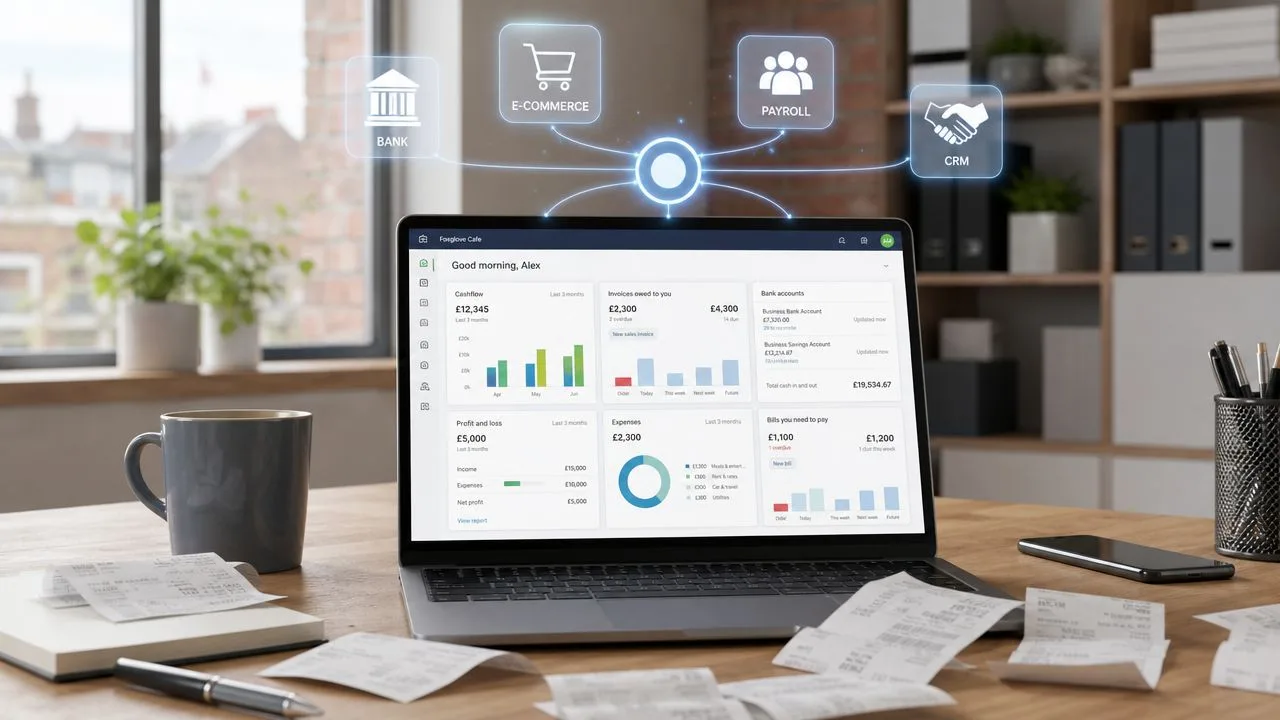
If you're running a growing SME, there's a good chance your numbers live in too many places. Sales sit in one system. Expenses arrive by email and get keyed in later. Payroll runs somewhere else. VAT returns become a last-minute exercise in checking spreadsheets against bookkeeping reports and hoping nothing was missed.
That setup works, until it doesn't. The strain usually shows up before the software conversation starts. You chase overdue invoices without a clean debtor view. You hesitate before hiring because the cash position isn't as clear as it should be. You spend more time proving figures than using them.
Accounting software integration can fix that, but only when it's approached as a control project as much as a technology one. For UK businesses, that distinction matters. The right connections can remove repetitive admin, tighten reporting, and make statutory deadlines easier to manage. The wrong ones can create faster mistakes, weaker audit trails, and more reconciliation work than you had before.
From Disconnected Data to Strategic Decisions
Most business owners don't wake up wanting better integrations. They want cleaner cash flow visibility, fewer surprises, and accounts they can trust.
That is why accounting software integration should be viewed as a business decision first. A connected system isn't just about moving data between apps. It's about turning routine bookkeeping into a dependable operating view of the business. When invoicing, bank feeds, expense capture, payroll inputs, and VAT records connect properly, the finance process stops being a patchwork exercise.

Why this became a real UK business issue
In the UK, accounting software integration became structurally important after HMRC launched Making Tax Digital for VAT in April 2019, requiring VAT-registered businesses above the £85,000 threshold to keep digital records and submit returns using compatible software, which made integration with cloud accounting tools central to reducing manual re-keying, errors, and deadline pressure for UK firms, as outlined in this overview of valuable integration statistics for UK digitalisation.
That change pushed many SMEs past the point where disconnected admin was merely inconvenient. It made digital record keeping part of everyday compliance. Once VAT data has to move cleanly from transactions to submission, the quality of the process matters just as much as the final return.
For many owner-managed businesses, Xero becomes the hub because it can sit in the middle of daily activity. Sales invoices, bank transactions, supplier bills, payroll journals, expenses, and app feeds can all be directed into one accounting record. Done properly, that gives you three practical gains:
- More time by reducing repeated data entry and routine chasing
- More money through clearer margins, faster debtor follow-up, and tighter cost visibility
- A clearer mind because decisions come from current figures rather than educated guesses
Practical rule: If your team still exports data to spreadsheets just to understand basic trading performance, your systems aren't integrated in any meaningful business sense.
Better decisions start with better management information
An integrated ledger is useful. An integrated ledger with sensible reporting is where its true value resides.
That means designing the flow of data so you can see what matters quickly. A retailer might need gross margin by sales channel. A construction firm might need job-by-job cost tracking. A consultant may care most about work billed, cash collected, and upcoming liabilities. The software should support those decisions instead of forcing you into generic reports.
If you're not sure what good reporting looks like in practice, these management report samples are a helpful reference point for the sort of management information an integrated system should eventually make easier to produce.
The point isn't to connect every app available. The point is to build a finance view to effectively run the business.
Building Your Integrated App Ecosystem
The best software stack usually starts with one uncomfortable question. Where is the friction right now?
If invoices go out late, fix sales workflow first. If wage processing creates bookkeeping mess, deal with payroll first. If stock figures are unreliable, don't add more apps until inventory discipline improves. Good accounting software integration starts with the operational bottleneck, not the app marketplace.
Start with the accounting core
For most UK SMEs, the accounting platform should be the centre of the ecosystem. In many cases that's Xero, because it gives a clean ledger, bank feeds, VAT functionality, and a broad app ecosystem. Around that core, you add only the systems that solve a real process problem.
A sensible shortlist usually comes from these questions:
- What causes delay every week: late invoicing, coding errors, duplicate entry, poor stock visibility, weak debtor control
- Who owns the data: sales team, operations, payroll bureau, finance manager, external bookkeeper
- Where does the final truth need to sit: usually the accounting ledger, not a spreadsheet or side system
- What fails if the connection breaks: cash collection, VAT treatment, project costing, payroll journals
What to look for before you connect anything
Not all integrations are equal. Some are native app-to-app connections with clear mappings and standard workflows. Others rely on middleware such as Zapier or connector tools. Those can be useful, but they also introduce another moving part.
When reviewing apps, I advise clients to judge them on five practical criteria:
- Data ownership: The app should make it obvious which system is master for customers, products, tax settings, and payment status.
- Error handling: You need a clear way to spot failed syncs, duplicates, and mapping issues without digging through technical logs.
- Support quality: If something breaks near month-end or VAT deadline, slow support becomes a real cost.
- Scalability: The process should still make sense when transaction volume rises or reporting gets more detailed.
- Audit trail: Users should be able to see what posted, when it posted, and where it came from.
For a broader planning view, Stewart Accounting has a practical guide to building your app stack around business needs.
Some readers also find it useful to look outside accounting-specific material and read about EAI best practices for AI, because the underlying discipline is the same. Keep architecture simple, control data flow, and avoid adding integrations nobody owns.
Recommended Xero Integration Combos for UK SMEs
| Business Type | Core Challenge | Payroll Integration | CRM/Sales Integration | E-commerce/POS Integration | Inventory/Job Management | Expense Tracking |
|---|---|---|---|---|---|---|
| E-commerce retailer | Order volume, payment reconciliation, stock accuracy | Payroll app or bureau posting journals into Xero | CRM if repeat-customer tracking matters | Shopify or POS connected to Xero | Inventory app with SKU control and margin visibility | Receipt capture app for supplier costs |
| Professional services firm | WIP visibility, billing discipline, debtor control | Payroll synced through journals and department tracking | CRM linked to quotes and client records | Usually not required | Practice or project management app with time and job tracking | Staff expense capture with approval flow |
| Construction or trades business | Job costing, subcontractor admin, purchase control | Payroll or CIS workflow feeding Xero accurately | Simple pipeline tool if quoting is inconsistent | Usually not required | Job management system tied to projects and costs | Mobile expense capture from site |
| Hospitality or retail site | Daily takings, till reconciliation, supplier volume | Payroll with department split where needed | Light CRM for bookings or repeat trade | EPOS linked into daily summary posting | Stock app if margins are stock-sensitive | Purchase and receipt capture for managers |
| Property landlord or portfolio business | Rent tracking, contractor costs, clean records by property | Payroll only if staff are employed | Usually limited need | Usually not required | Property management tool or tracking by property in ledger | Expense capture with property tagging |
This isn't a universal template. It's a starting point. The right combination depends on who enters data, how disciplined the source records are, and what reports the owner reads.
Keep the stack boring where you can. Reliable and understandable beats feature-rich and fragile every time.
Your Step-by-Step Implementation Blueprint
A successful rollout looks less like a software purchase and more like a managed finance project. The businesses that struggle are usually the ones that rush configuration, import untidy data, and assume staff will automatically adapt.

A practical UK-focused approach is to treat accounting software integration as a controlled change programme by mapping workflows, defining objectives, involving stakeholders, planning data migration, running parallel testing, and training users. Independent implementation guidance also identifies resistance to change, data integrity, and software compatibility as common failure points that phased rollout helps to reduce, as explained in this guide to implementing automated accounting software successfully.
Phase one: map what actually happens now
Don't begin with app settings. Begin with the current workflow.
Write down how a transaction starts, who touches it, where it gets approved, when it reaches the ledger, and how it ends up in management reports or compliance submissions. That exercise usually exposes hidden manual work immediately.
Look in particular for these weak points:
- Double handling: data entered in a sales or payroll system, then re-keyed into bookkeeping
- Informal workarounds: staff keeping private spreadsheets because the main system doesn't answer basic questions
- Approval gaps: bills, expenses, or credit notes posted without clear review
- Ownership confusion: nobody knows who fixes sync errors or mapping exceptions
This is also the stage to decide your single source of truth. Customer names, item codes, tax rates, nominal mappings, and department structures should each have a home. If two systems are both allowed to “own” the same field, errors are almost guaranteed.
Phase two: clean data before migration
Poor data moves quickly once systems are connected. That's the problem.
Before migration, tidy the chart of accounts, archive duplicate contacts, standardise VAT treatment, review tracking categories, and decide how historical transactions will be handled. Many SMEs don't need every old detail imported at line level. They need a reliable opening position and a clean process from go-live onward.
Bad source data doesn't become good data because an API touches it.
If you're moving from a legacy setup, a staged transition can help. This is often the point where businesses moving systems review practical migration paths such as switching from Sage to Xero before layering integrations on top.
Phase three: configure the workflow, not just the connector
Many projects often become too technical and lose the finance objective. A connector being “live” doesn't mean the process is ready.
Set rules for what should sync automatically, what needs approval before posting, and what should remain manual. For example, you may allow sales invoices from a CRM to create draft invoices in Xero, but require finance review before final posting. You may import till summaries daily rather than every individual retail transaction. You may keep payroll journal posting controlled by one trained person rather than letting multiple users alter mappings.
A short visual overview can help your team understand the moving parts before go-live.
Phase four: test in parallel
Parallel testing is where confidence gets built. Run the new workflow alongside the old process for a period and compare outputs.
That means checking:
- Transaction completeness so sales, purchases, payroll, and bank movements all arrive where expected
- Tax treatment so VAT codes and reporting classifications stay correct
- Timing so entries hit the right periods and don't distort month-end
- Reporting impact so management reports still reconcile to the ledger
Don't treat testing as an IT exercise. Finance must sign off the result.
Phase five: train users by role
Generic software demos rarely stick. People need training that matches the work they do.
A sales administrator needs to know which fields affect invoicing. A manager approving expenses needs to know what evidence is required. A bookkeeper needs to know how to identify failed postings and clear exceptions. A business owner needs to know what dashboards can and can't be trusted yet.
Roll out in phases if you can. Pilot teams surface issues early and stop you from pushing weak processes across the whole business.
Navigating Security, Compliance, and Data Governance
Many integration guides assume more connectivity is automatically better. In practice, some SMEs should integrate less, not more.
The central issue isn't whether two systems can connect. It's whether the data arriving in the ledger remains accurate, reviewable, and supportable. That matters because a weak feed doesn't just create admin noise. It can undermine VAT records, reporting confidence, and evidence for decisions.

Where control often slips
A key challenge is whether integration is worth it once compliance is considered. UK-focused commentary notes that the Financial Reporting Council's 2024 review found weaknesses in SME accounting records, while HMRC's MTD rules keep compliance tied to the integrity of integrated data. The practical question becomes how much control is lost when systems are connected, and when a business should deliberately limit integrations to low-risk workflows where reconciliation effort no longer outweighs labour saved, as discussed in this analysis of accounting software integration and compliance trade-offs.
That is the part many buyers underestimate. A direct feed from payroll, EPOS, CRM, or stock software sounds efficient. But if users can alter source data freely, coding rules are inconsistent, or the sync creates postings nobody reviews, you haven't improved control. You've just moved the mess upstream.
When not to integrate
There are cases where I would advise an SME to pause or limit accounting software integration.
- Dirty source data: If the operational system contains inconsistent tax codes, duplicate customers, or poor product setup, fix that before connecting it to the ledger.
- Bespoke legacy software: If only one person understands how the old system works, a deep integration can create dependence and risk rather than resilience.
- Low-volume specialist processes: If a workflow happens infrequently and carries high judgement, manual entry with review may be safer.
- Weak internal ownership: If no one in the business can monitor sync failures, maintain mappings, and approve exceptions, the control cost will keep rising.
Sometimes the right answer is a narrow integration. Bank feeds, expense capture, and simple sales imports often deliver value sooner than a full end-to-end automation build.
Governance basics that are worth enforcing
Good governance doesn't need to be complicated, but it does need to be deliberate. Focus on practical controls:
- Access discipline: Use role-based permissions and remove admin access from users who don't need it.
- Authentication: Turn on multi-factor authentication across the accounting platform and connected apps.
- Approval routes: Make sure bills, expenses, and key postings have a review step where appropriate.
- Evidence retention: Keep source documents attached or accessible so transactions can be explained later.
- Periodic review: Check app connections, user access, and exception logs regularly.
For firms reviewing their wider obligations, this article on data protection rules that still affect UK businesses is a useful reminder that software convenience doesn't remove governance responsibility. If your team is also assessing systems for oversight and auditability, this OkraPDF guide to compliance offers a useful framework for thinking about evidence, controls, and review processes.
Measuring ROI and Troubleshooting Common Issues
Once the integration is live, the question changes. It stops being “does it connect?” and becomes “is it helping the business run better?”
The strongest return usually comes from cleaner workflow rather than the connector alone. That's why post-implementation review matters. If old habits remain in place, the software may still sync data while the finance team continues doing the same checks, exports, and manual corrections as before.
What worthwhile ROI actually looks like
For process-heavy finance teams, automation plus workflow redesign can deliver a 40 to 60% reduction in month-end close time, moving from 10 to 15 business days down to 5 to 7 days, with the biggest gains coming from standardised reconciliations and validation through a parallel close before cutover, according to this benchmark on accounting process improvement strategies.
Not every SME will match that exact outcome. But it gives you a serious benchmark for what “better” can mean when process and software are redesigned together.
The ROI measures I would watch first
Use a small set of practical measures rather than building a reporting monster. Good starting points include:
- Month-end speed: Are accounts ready sooner, with fewer unresolved items?
- Reconciliation effort: Are bank, debtor, creditor, and control account reconciliations more routine and less dependent on one person?
- Invoice workflow: Are invoices being raised faster and chased from a more reliable ledger position?
- Error correction volume: Is the team spending less time fixing duplicates, coding errors, or posting issues?
- Management confidence: Can the owner make decisions from the reports without asking for a spreadsheet “sense check”?
Some returns are financial. Others are operational. If your finance contact can finally spend time reviewing margin, costs, and cash instead of repairing data flow, that's a genuine gain even if it doesn't show up neatly as a line-item saving.
A good integration should reduce the amount of explanation needed around the numbers. If every report still comes with caveats, the ROI isn't there yet.
Troubleshooting the problems that show up most often
Most issues fall into a few familiar categories. A simple symptom, cause, and solution approach usually gets to the root faster than blaming the software.
| Symptom | Likely Cause | Practical Response |
|---|---|---|
| Sales appear twice in Xero | Duplicate import path or app overlap | Check whether two systems are posting the same transaction type and switch one off |
| VAT looks wrong on imported transactions | Tax mapping set incorrectly in source app or connector | Review tax codes at source and retest with sample transactions before reprocessing |
| Bank reconciliation becomes harder, not easier | Payment references or batching logic don't match ledger entries | Adjust settlement mapping and decide whether summary posting works better |
| Payroll journals look inconsistent each month | Manual changes in payroll setup or ledger mapping | Lock down responsibility and document the mapping structure |
| Staff stop trusting the reports | Exceptions aren't being reviewed and corrected quickly | Assign ownership for daily or weekly sync checks and clear unresolved items promptly |
| Integration breaks after an app update | Connector settings changed or authentication expired | Re-authenticate, review release notes, and test key workflows before the next close |
The common thread is ownership. Someone must be responsible for monitoring the connection, reviewing exceptions, and deciding when a process needs redesign rather than another patch.
A stable integration isn't a one-off installation. It's a maintained finance process.
Accounting software integration is worth doing when it gives you cleaner records, faster decisions, and stronger control. It isn't worth doing just because an app store says two systems can connect. For UK SMEs, the right answer is often selective integration, rolled out carefully, with compliance and data quality treated as seriously as convenience.
Recent Posts
30 Oct, 2026
29 Oct, 2026
28 Oct, 2026