

Payroll Management for UK SMEs: A Practical Guide

Payday arrives, and you're already bracing for the questions. One employee says their take-home pay looks wrong. Another has changed their hours. A subcontractor's details don't match last month. Meanwhile, you're trying to release wages, keep enough cash aside for HMRC, and avoid discovering a PAYE miscalculation after the money has left your account.
That's the reality of payroll management for many UK SMEs. Payroll isn't a monthly task that ends when payslips are issued. It controls a major cash outflow, shapes employee confidence, feeds HMRC's reporting systems, and creates evidence that affects wider financial decisions. A weak process can damage your cashflow and reputation even when the underlying mistake looks small.
Why Payroll Management Is More Than Admin
An owner who spots a payroll error two weeks after payday has more than a correction to make. They may need to explain the issue to an employee, calculate the adjustment, amend records, investigate how the mistake happened, and check whether the same error affected anyone else. If the employee has already arranged bill payments around the incorrect amount, the consequences become personal as well as administrative.
UK payroll statistics published in 2025 reported that over 90% of UK businesses admitted making payroll errors monthly, while 25% of UK PAYE employees received incorrect paycheques. The same source attributed 46% of payroll mistakes to human error when calculating wages, and reported that 46% of employees missed a bill payment because of inaccurate payroll. These figures come from UK payroll statistics for HR managers, and they underline a point owners often learn too late: an inaccurate pay run can become a cashflow problem for the person receiving the money.
The cashflow connection
Payroll affects cashflow in several directions at once. You must fund net wages, retain the correct amounts for PAYE and National Insurance contributions, account for pension deductions where relevant, and deal with corrections without destabilising the next pay run. A business can appear profitable on paper while its payroll process repeatedly creates unplanned payments, duplicated work, or late tax liabilities.
The risk also extends beyond the wages themselves. Late or incorrect submissions can lead to HMRC interest and penalties. A rushed correction consumes management time, and an owner who repeatedly has to investigate pay issues loses time that should be spent on sales, delivery, or hiring.
Practical rule: Treat every pay run as a controlled cash release, not an item on an admin checklist.
Trust is part of the payroll result
Employees judge payroll by one simple question, whether they're paid correctly and on time. A company that repeatedly issues incorrect payslips tells its staff that internal controls are unreliable. That can make people less willing to accept variable hours, expenses, bonuses, or changes to pay arrangements because they no longer trust the numbers.
Payroll management therefore belongs in the same conversation as cashflow forecasting and financial controls. The objective isn't to make payroll look complex. It's to make the result dependable, explainable, and properly reconciled before money reaches employees or HMRC.
Core UK Payroll Obligations Every SME Must Meet
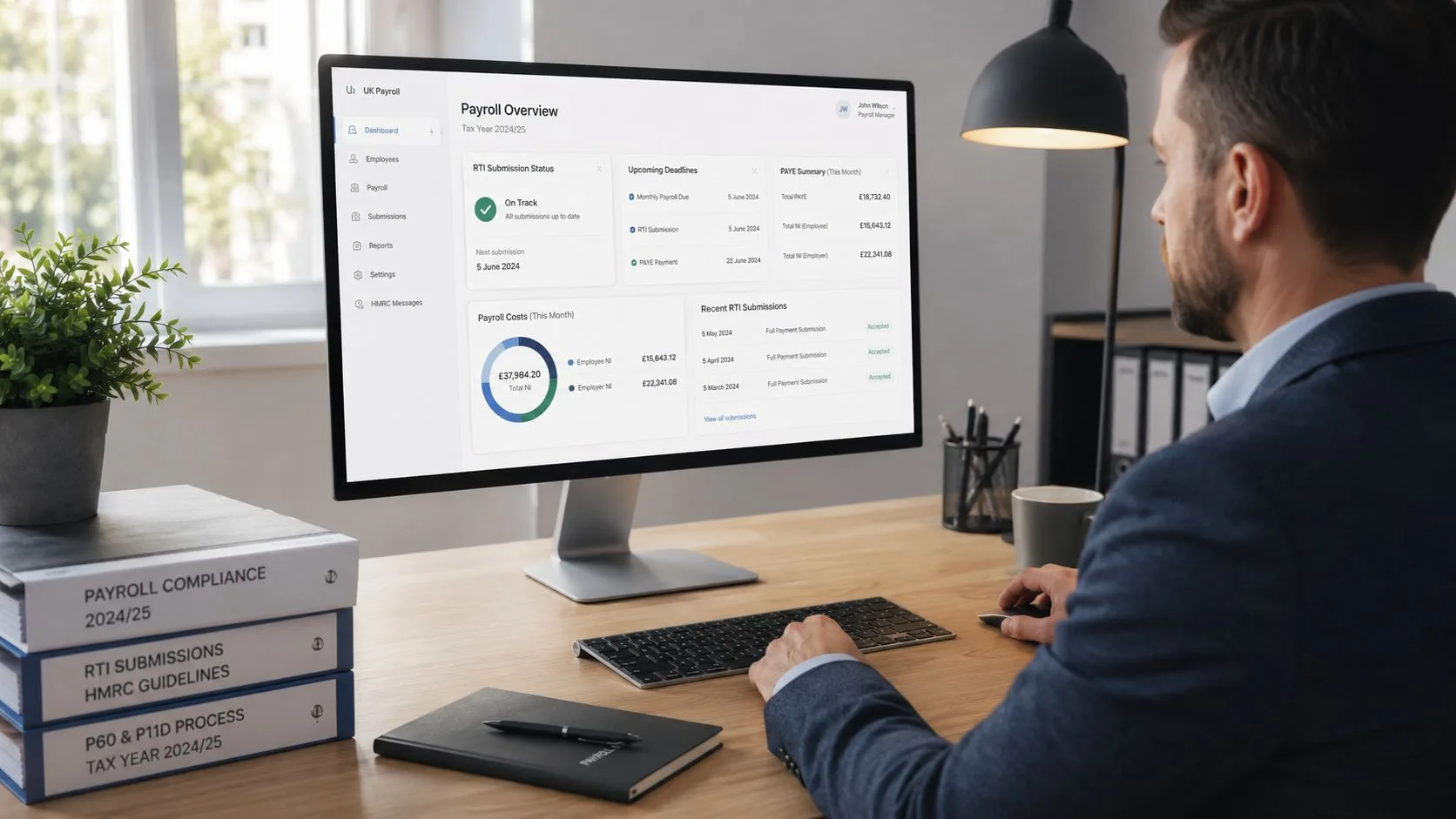
UK payroll management is built around HMRC's Pay As You Earn Real Time Information system, commonly called PAYE RTI. Employers submit pay information through a Full Payment Submission, or FPS, on or before each payday. The submission must reflect what the business is paying, including taxable pay, deductions, tax codes, National Insurance details, and relevant statutory payments.
The monthly cycle should run in a fixed order:
- Collect approved changes. Gather hours, salaries, bonuses, expenses, leave, statutory payments, starters, leavers, and employee amendments before the processing cut-off.
- Validate the payroll file. Check employee records, tax codes, National Insurance category letters, pay rates, pension deductions, and unusual movements against the prior period.
- Process the pay run. Calculate gross pay, PAYE, NICs, pension deductions, statutory payments, and net pay.
- Submit the FPS. Send it to HMRC on or before payday, not after the banking file has already been released.
- Pay employees and reconcile. Match the payroll report to the bank payment, nominal ledger, and payroll liability balances.
- Settle HMRC. PAYE and NICs are generally due by the 22nd of the following month when paid electronically, or by the 19th when paid by post, as set out in HMRC's payroll annual reporting guidance.
Why RTI changes the control window
RTI means payroll information reaches HMRC around the time employees are paid. That removes the comfort of treating payroll as a year-end exercise. If your payroll software contains an incorrect tax code, an outdated salary, a wrong NIC category, or an unapproved adjustment, the error can move directly into the FPS and the employee's payslip.
HMRC's RTI timetable also sits alongside other deadlines. Employers must provide P60s by 31 May, while benefits-in-kind reporting is due by 6 July. Year-end payroll is therefore a series of linked submissions, not one final administrative event.
The practical recommendation is to document who approves changes, who processes payroll, who reviews the reports, and who releases payments. Businesses looking to strengthen that control environment can use guidance on scaling compliance without manual work, particularly where validation and approval steps are being moved into a supported workflow.
For the mechanics of sending information to HMRC, keep a written process based on how to submit payroll to HMRC. The software may automate transmission, but the business remains responsible for the quality of the underlying data.
The Hidden Cost of Payroll Errors
Payroll errors rarely begin with a dramatic systems failure. More often, someone changes a pay rate in one place but not another, carries forward an old tax code, enters hours late, or approves a payroll report without investigating an unusual variance. The process then produces a plausible-looking result that fails only when an employee, HMRC, or the bank exposes the discrepancy.
Evidence submitted to Parliament cited an employer RTI data error rate of about 5%. Another submission recorded 97,648 discrepancies queried by employers during the first three years of RTI. The same evidence noted that those queries represented less than 1.5% of employers, but the volume still demonstrates how a relatively small mismatch rate can create substantial exception handling across a large payroll system. The figures are documented in written evidence on RTI data quality.
Why checklists alone fail
A compliance checklist can confirm that an FPS was submitted. It won't necessarily confirm that the employee master data was correct before the submission. It can remind a manager to review the payroll report, but it won't tell them whether a new starter has been duplicated, whether an unusual overtime payment has a reasonable explanation, or whether a pension deduction has been mapped correctly.
HMRC research on the RTI pilot found that some submissions required re-submission, and 62% of those re-submissions succeeded on the second attempt, according to the parliamentary evidence above. That points directly to the value of file validation, formatting checks, and data cleansing. The right question isn't only, “Did we submit?” It's, “What controls stopped bad data from reaching the submission stage?”
Time is another measurable cost
UK payroll statistics reported in 2025 found that 76% of payroll professionals still needed up to a week to complete a pay run. For a small business, that time can sit with an owner, office manager, bookkeeper, or finance employee who has other responsibilities. Long processing times leave less room for review, which encourages rushed approvals and makes late changes more dangerous.
Automation can help, but only when it removes repetitive entry and adds meaningful validation. A system that automatically imports incorrect hours processes the wrong information faster. A stronger design combines controlled inputs, approval rights, variance checks, exception queues, and a final reconciliation.
The cost of an error includes the correction, the explanation, the lost time, and the trust that may not return immediately.
In-House Software vs Outsourcing Your Payroll
The right payroll operating model depends on complexity, internal capacity, and the consequences of an error. There isn't a universal answer, and the cheapest apparent option can become expensive when an owner spends days correcting submissions or answering employee complaints.
A 2025 UK payroll survey found that 68% of respondents preferred in-house payroll software. It also reported that use of free HMRC software rose by 65%, outsourcing to a provider fell by 22%, and outsourcing to an accountant rose by 18%, although accountant outsourcing still represented only 6% of respondents. The survey is summarised in Moorepay's annual payroll survey report.
The survey also found that payroll frustrations increased by 20% in 2025, with limited functionality at 14% and limited reporting and analytics at 13% among the most common complaints. That matters because owners often buy payroll software for processing, then discover they need better management information to understand labour costs, pay changes, and exceptions.
Payroll operating models compared
| Criteria | In-House Software | Free HMRC Tools | Outsourcing to Accountant |
|---|---|---|---|
| Cost | Ongoing software cost and internal staff time | Low direct cost, with significant reliance on internal time | Professional fees, offset by reduced administration |
| Control | High day-to-day control over data and timing | Direct control, but fewer workflow safeguards | Shared control through agreed approvals and deadlines |
| Compliance risk | Depends heavily on user knowledge and review quality | Greater exposure where the business lacks payroll expertise | Can reduce operational risk when the accountant has defined review procedures |
| Scalability | Suitable if the software handles growing complexity | Often better suited to straightforward payroll needs | Stronger fit for changing pay structures, CIS, pensions, and wider accounts support |
| Reporting | Varies by product, with limited reporting a recognised frustration | Basic payroll administration focus | Can connect payroll information to bookkeeping, tax, and management reporting |
Match the model to the business
A sole trader with a small, stable team may manage payroll in-house if one trained person owns the process and has enough time for review. Free HMRC software may suit a straightforward setup, but it shouldn't be chosen because it has no obvious licence fee. The owner still carries the responsibility for accurate records, deadlines, corrections, and employee communication.
Growing limited companies should be more demanding. Multiple pay rates, bonuses, variable hours, statutory payments, workplace pensions, CIS, and regular starters or leavers make manual handoffs harder to control. In-house software can remain effective when the business has a trained operator, documented procedures, dependable cover during absence, and reporting that supports management decisions.
Outsourcing becomes attractive when payroll is too important to leave to one busy employee but not complex enough to justify a dedicated internal payroll function. Ask providers who reviews the payroll, how changes are approved, how exceptions are reported, how RTI submissions are evidenced, and how the service connects to your accounting records. Don't compare providers on processing price alone. Compare the cost of control.
Integrating CIS and Auto-Enrolment Into Your Payroll Cycle
Construction Industry Scheme deductions and workplace pension auto-enrolment shouldn't sit in separate folders from payroll. Both depend on accurate worker records, correct pay data, clear status decisions, and timely communication. If the information enters payroll late or changes without approval, the business can produce the wrong deductions even when the core wage calculation appears correct.
Build CIS into the same control process
Start by confirming whether the worker is a subcontractor covered by CIS and verify their status before the payment is calculated. Record the gross amount, allowable materials where applicable, deduction category, and payment details in a way that can be reconciled to the subcontractor ledger. The person approving the payment should be able to see why the deduction was applied, not just the final amount.
CIS returns have their own timetable and supporting records. Businesses should keep a clear calendar and ownership structure, using a practical reference for the CIS return deadline when setting internal cut-offs. A payroll platform can reduce duplicate entry, but it won't decide whether a worker's status or materials claim is correct.
Treat auto-enrolment as a recurring assessment
For workplace pensions, payroll must identify eligible workers, calculate the relevant contribution deductions, communicate enrolment information, and record opt-outs or re-enrolment actions correctly. A worker's pay or circumstances can change, so the process needs a recurring assessment rather than a one-time setup.
Before payday, reconcile:
- Worker status: Confirm whether each person is an employee, subcontractor, starter, leaver, or worker whose classification has changed.
- Pay basis: Check salary, hours, overtime, bonuses, statutory payments, and any adjustments against approved records.
- Deductions: Match CIS deductions, pension contributions, PAYE, NICs, and other deductions to the underlying calculation.
- Exceptions: Investigate new warnings, unusual movements, missing pension data, and any worker whose status changed during the pay period.
- Outputs: Confirm that payslips, pension files, CIS records, payroll journals, and HMRC submissions agree before payment is released.
Cloud payroll platforms can automate calculations and transfers between systems, but they need controlled inputs and human review. The strongest setup treats CIS and pensions as connected parts of the payroll calendar, with one owner for the data and one documented escalation route when the records don't reconcile.
Building a Reliable Payroll Workflow and Monitoring KPIs
Reliable payroll management starts before the pay run opens. Set a firm cut-off for changes, require managers to approve hours and pay amendments, and keep employee master data in one controlled system. Late changes should enter an exception log rather than being added informally through email or a last-minute spreadsheet.

Use checkpoints, not hope
A workable monthly process looks like this:
- Lock the inputs. Confirm starters, leavers, salary changes, hours, absence, statutory payments, deductions, and approved expenses.
- Run validation checks. Flag duplicate employees, missing tax information, unexpected net pay changes, negative deductions, and unusually large variances.
- Review exceptions. Require a named manager to explain each flag before payroll is approved.
- Submit and release. Send the FPS on time, release the bank file only after approval, and issue payslips through a controlled channel.
- Reconcile the outputs. Match payroll totals to the bank, payroll journal, PAYE and NIC liability accounts, pension records, and any CIS records.
- Close the period. Record corrections, unresolved items, and process changes for the next run.
Track the signals that expose weakness
Your dashboard doesn't need dozens of measures. Track the indicators that show whether the process is becoming safer or more fragile:
- Payroll error rate: Count corrections after approval and classify the cause, such as data entry, calculation, approval, or system mapping.
- Time to complete: Measure from input cut-off to final approval. A rising figure signals growing complexity or insufficient capacity.
- Exception volume: Record how many validation flags appear and how many remain unresolved at approval.
- Late submission frequency: Log every late or amended submission and the reason, rather than treating each incident as isolated.
- Reconciliation differences: Monitor unexplained differences between payroll reports, bank payments, and accounting records.
UK payroll reporting published in 2025 said that only 31% to 50% of payroll services were automated on average, while 24% of payroll providers wanted every payroll task automated. Another 2025 source reported that 42% of UK companies used AI for payroll support. These figures are cited in UK payroll statistics for HR managers. Automation is useful where it standardises imports, checks variances, routes approvals, and preserves an audit trail. It's risky where it hides assumptions or allows unreviewed data to flow into pay and reporting.
Use the following video as a practical visual prompt when reviewing how a payroll dashboard and checklist might support a repeatable process.
When to Outsource Payroll to a Specialist Firm
Outsource payroll when the business can no longer provide reliable review, cover, and compliance ownership internally. Recurring corrections, missed deadlines, unexplained reconciliation differences, a single point of failure, or growth in variable pay are clear warning signs. So is the owner spending valuable commercial time checking payslips instead of running the company.
A specialist firm should do more than press “submit”. It should manage PAYE and NIC calculations, RTI administration, payslips, statutory payments, year-end forms, pension coordination, and a documented review process. It should also explain exceptions clearly and connect payroll data to bookkeeping, VAT, cashflow planning, and management reporting.
Consider the broader principle of outsourcing business processes before deciding that payroll must remain with whoever happens to have spare capacity. The decision should be based on control, resilience, and the value of management time, not just the visible fee.
For SMEs that want payroll handled alongside wider finance work, Stewart Accounting Services' outsourced payroll support uses a supported cloud workflow and can cover PAYE, National Insurance, statutory payments, payslips, RTI administration, and year-end forms. Assess any provider by asking for its cut-off timetable, approval responsibilities, correction policy, data security arrangements, pension and CIS experience, and evidence of submission records.
Review your last three payroll runs this week. Record every correction, late change, unresolved exception, reconciliation difference, and hour spent on processing. If the pattern shows that payroll is consuming owner time or creating employee and HMRC risk, contact Stewart Accounting Services to discuss a controlled outsourced payroll process that fits your business and its growth plans.