

Getting paid on time is the lifeblood of any self-employed business in the UK. A professional, compliant invoice isn't just a simple request for money—it's a legal document that protects you and keeps everything above board with HMRC. Let’s walk through what makes a great invoice, starting with some free templates and then diving into the nitty-gritty of what’s required for UK sole traders.
Why Your Self-Employed Invoice Matters
As someone running your own show, the invoices you send are some of the most important documents you'll produce. It’s so much more than a bill. Think of it as a formal record of the job, a reflection of your professionalism, and a cornerstone of your financial admin. A clear, accurate, and well-laid-out invoice leaves no room for confusion, helps you get paid faster, and builds trust with your clients.
Put it this way: your work shows off your skills, but your invoice proves your business is run properly. A document thrown together at the last minute with missing information can cause headaches and delay payment. On the other hand, a polished invoice based on a proper self employed invoice template uk format shows you’re organised, reliable, and serious about what you do.
More Than Just a Payment Request
A good invoice does a lot more than just ask for money. It’s a legal document that can back you up if a payment dispute ever arises. For your clients, it’s a neat summary of the services you provided, which they need for their own bookkeeping and expense tracking.
Crucially, it's also a vital tool for your own financial health and tax compliance. Your collection of invoices forms the primary record of your income, which is the foundation of your annual Self Assessment tax return. Without them, trying to report your earnings to HMRC accurately would be a complete nightmare.
This is exactly why getting the UK-specific details right isn't optional. HM Revenue & Customs (HMRC) requires all self-employed people to keep meticulous records of their sales and invoices. You need to hang on to them for at least five years after the submission deadline for that tax year. This rule is why every single invoice must include key details like a unique number, dates, addresses, a clear description of your work, and the total amount due. It ensures every transaction is traceable for tax purposes. You can find more details on these record-keeping duties to stay compliant.
Invoicing is the final step in the client service journey. A professional invoice reinforces the quality of your work and encourages prompt payment, directly impacting your business's cash flow and long-term stability.
Ultimately, getting your invoicing process down to a fine art is a fundamental skill for any sole trader in the UK. It cuts down on your admin time, strengthens your client relationships, and makes sure you're meeting your legal obligations. That leaves you with more time to focus on what you actually love doing—your work.
Download Your Free UK Invoice Templates
Tired of wrestling with invoice layouts every time you need to get paid? I’ve been there. That’s why we’ve put together a set of straightforward, UK-compliant invoice templates specifically for freelancers and sole traders like you. Each self employed invoice template uk has all the essential fields already in place, so you can stop worrying about missing details and spend more time on your actual work.
You can grab the format that slots right into how you already do things. Below are direct download links for Microsoft Word, Excel, and Google Docs/Sheets. No fuss, no complicated setup – just click and go.
Choosing the Right Invoice Template Format
All our templates get the job done, but each has its own strengths. Think about your current admin process. Are you a fan of a classic, clean document, or would you prefer something that does the maths for you?
Our Word and Google Docs versions are perfect for creating professional, polished PDFs to attach to an email. They're incredibly easy to edit and are the ideal choice if you’re just creating one-off invoices and want full control over the look and feel.
On the other hand, the Excel and Google Sheets templates come with built-in formulas. They’ll automatically calculate your subtotals, VAT (if you’re registered), and the final total for you. This is a game-changer for reducing simple mistakes and is a fantastic option if you like to keep a running log of your invoices in one place.
My Two Cents: If you're just starting your self-employed journey, the Excel or Google Sheets template can double up as a basic bookkeeping system. Just create a new tab for each month to keep a simple, organised record of your income and what’s still outstanding.
Choosing the right tool makes all the difference in staying organised. Here’s a quick rundown to help you pick the best self employed invoice template uk for your business.
| Format | Best For | Key Features | Considerations |
|---|---|---|---|
| Microsoft Word | Creating clean, classic, single invoices to send as PDFs. | Easy to customise with your logo and brand colours for a professional look. | All calculations must be done manually, which can lead to errors. |
| Microsoft Excel | Managing multiple invoices and basic financial tracking. | Automatic calculations for totals and VAT, reducing manual maths. | Less design flexibility compared to a Word document. |
| Google Docs/Sheets | Collaborative work and easy cloud access from any device. | Live editing, easy sharing with an accountant, and automatic saving. | Requires a stable internet connection for optimal use. |
Ultimately, the best format is the one you’ll actually use consistently. Pick the one that feels most comfortable and helps you get paid without the headache.
Ready to get started? Just click the links below to instantly download the template of your choice.
- Download as a Microsoft Word document
- Download as a Microsoft Excel spreadsheet
- Access in Google Docs/Sheets
Breaking Down the Perfect UK Invoice
A good invoice does more than just ask for money. It's a professional, legally sound document that helps you get paid on time, every time. So, let’s pull apart what every self-employed invoice template in the UK needs, piece by piece, and explain why each part matters. By the end, you’ll be confident that every invoice you send is spot-on.
This infographic shows the simple process of picking the right template format for your business.
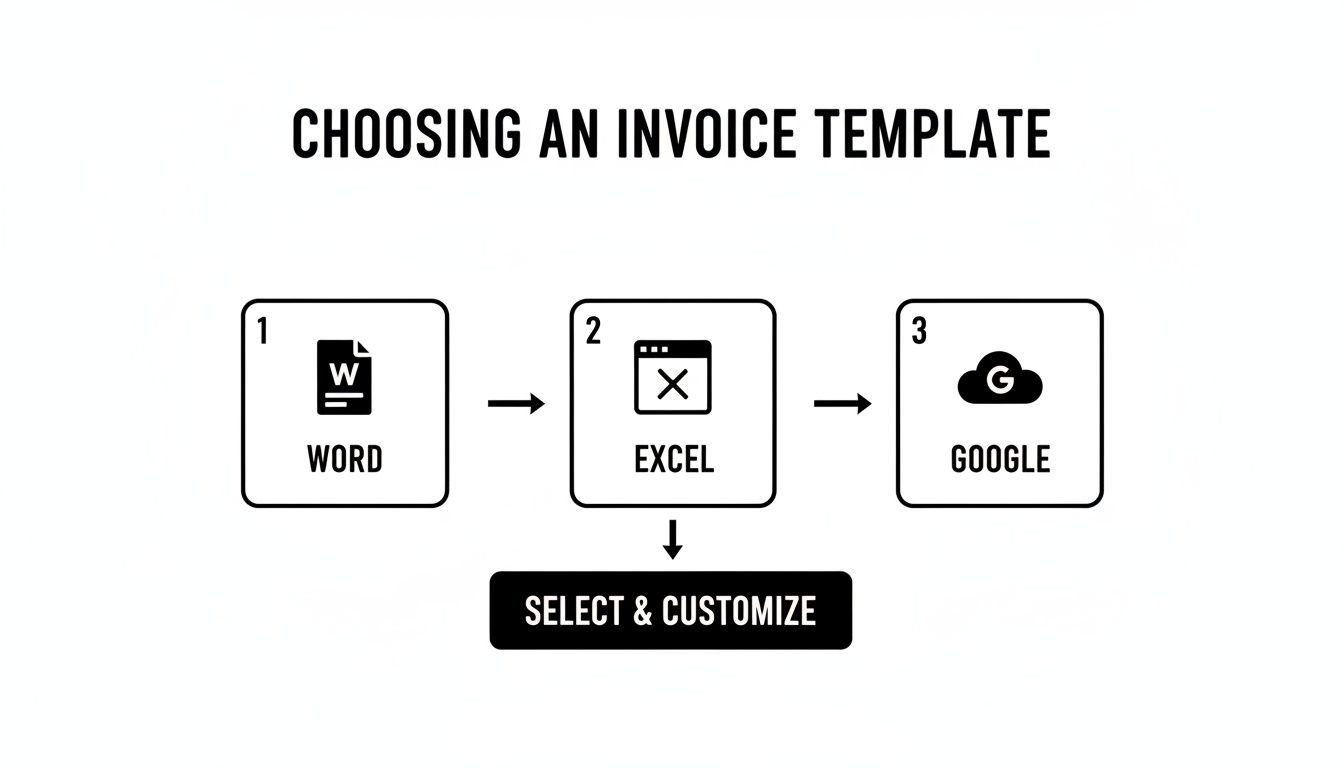
As you can see, choosing between Word, Excel, or Google’s tools is often a trade-off between creative freedom and handy automation.
Your Business Details and Branding
First things first, your invoice has to shout about who it’s from. This isn’t just for payment purposes; it’s about reinforcing your brand and looking the part.
- Your Business Name: Use your official trading name. If you're a sole trader, that's simply your own name.
- Your Logo: A logo instantly makes your invoice feel more professional and helps it stick in your client's mind. It's a small touch with a big impact.
- Your Contact Information: You'll need your business address, phone number, and a professional email address. This gives clients a clear way to get in touch if they have questions.
Pop these details right at the top of the page. Think of it as your digital letterhead.
Client Information
Just as crucial is making it crystal clear who the invoice is for. Getting the client's details wrong is a surprisingly common reason for delayed payments—the invoice simply gets lost in the wrong department.
Always include the client's full business name and their registered address. If you’ve been dealing with a specific person in their accounts team, it's a great idea to add their name too. It helps ensure your invoice lands on the right desk straight away.
The All-Important Invoice Number
Every single invoice you create must have a unique invoice number. This is a non-negotiable for HMRC and your own bookkeeping sanity. It stops any confusion, helps you track who has and hasn't paid, and gives you an easy way to reference a specific job if a problem crops up later.
A few popular numbering systems work well:
- Simple Sequential: Just start with 001, then 002, 003, and so on. It’s dead simple and easy to follow.
- Date-Based: A format like YYYY-MM-### (e.g., 2024-10-001) is fantastic because you can tell when an invoice was raised just by glancing at the number.
- Client-Specific: You could use a prefix for each client, like "ABC-001" for a client called ABC Ltd. This can be a lifesaver for organising your files.
Whichever system you land on, the golden rule is consistency. Pick one and stick with it. This discipline creates a clear, auditable trail of your income, which is exactly what you (and your accountant) will thank you for later.
Key Dates, Demystified
Your invoice needs a couple of important dates, and they each have a distinct job. It's vital to get them right.
- Invoice Date: This is the day you officially create and send the invoice. It’s the starting pistol for your payment terms (e.g., "payment due in 14 days" starts from this date).
- Date of Supply (or 'Supply Date'): This is the date you actually handed over the goods or finished the work. If you were on a project for a few weeks, this would be the final day of that work.
HMRC requires the 'Date of Supply' for tax purposes, as it pins the transaction to a specific tax period. Including both dates on your invoice leaves no room for confusion.
Writing Clear Service Descriptions
Here's where you spell out exactly what your client is paying for. Vague descriptions like "Consulting services" are a recipe for trouble, often leading to scope creep or payment disputes. You need to be specific.
Instead of just "Graphic Design Work," try breaking it down:
- Line Item 1: Logo Design Package (3 concepts, 2 revisions) – £500
- Line Item 2: Business Card Design & Print-Ready File – £150
An itemised list like this shows the client exactly where their money is going, justifying the cost and leaving no room for misunderstanding. It's a clear record of the work you both agreed on. If you do project-based work, checking out various invoice examples for contractors can offer some brilliant ideas on how to structure your descriptions for different jobs.
Finally, make sure the total amount due is big, bold, and impossible to miss at the bottom of the invoice. By carefully including each of these elements, your self employed invoice template uk becomes a powerful tool that not only gets you paid faster but also protects your business.
Navigating VAT and Tax on Your Invoices
If you’re self-employed in the UK, getting your head around tax and VAT is one of those non-negotiable parts of the job. It might feel a bit daunting at first, but understanding the rules is crucial for how you invoice clients and manage your cash flow. A compliant invoice isn't just a piece of paper; it’s your first line of defence for a smooth and stress-free tax season.
Every invoice you send out is directly tied to your annual Self Assessment tax return. HMRC wants to see a clear and accurate paper trail of all your income, and your invoices are that trail. Keeping them organised and correct isn't just good business practice; it's a legal requirement that will make filing your tax return a thousand times easier.
Think of it this way: when you sit down to do your Self Assessment, you’re essentially just summarising the information from a year's worth of invoices. If those invoices are a mess, you'll waste hours—or even days—trying to piece everything together. A clean set of invoices, created from a solid self employed invoice template uk, gives you all the backup you need to file with confidence.
When VAT Comes into Play
One of the biggest questions I hear from freelancers and sole traders is, "When do I need to register for VAT?" Value Added Tax (VAT) is a tax added to most goods and services, but you only have to start charging it once your business turnover hits a specific threshold set by the government.
This threshold can change, so it's something you need to monitor. Right now, you must register for VAT if your taxable turnover for a rolling 12-month period hits £90,000. If you see your income creeping up towards that number, you need to be proactive and get registered. It's also possible to register voluntarily even if you're below the threshold, which can sometimes be a smart move if you buy a lot of VAT-able goods or services for your business.
Once you’re VAT-registered, your invoicing game has to change. You are now legally required to collect this tax for the government and pay it over to HMRC.
What to Include on a VAT Invoice
If you become VAT registered, your standard invoice template will need a serious update. HMRC is very strict about what a proper VAT invoice must include. Getting these details wrong can cause headaches for both you and your client, especially if they need to reclaim the VAT you've charged them.
The details are specific and must be followed. A VAT-registered business must show the supplier’s VAT registration number, the VAT rate for each item, the net amount (before tax), the VAT itself, and the gross total. These aren't just suggestions; they are firm rules.
Here's a quick checklist of the extra details you’ll need to add:
- Your VAT Registration Number: This is the unique 9-digit number HMRC gives you. It has to be on there, plain and simple.
- A Clear VAT Breakdown: You can’t just lump it all together. You must clearly show the net amount (before VAT), the VAT rate you've applied (e.g., 20%, 5%, or 0%), the actual amount of VAT charged, and the final gross total your client needs to pay.
- The Tax Point (Time of Supply): This is the official date the transaction happens for VAT purposes. Usually, it’s just the invoice date, but it could also be the date you finished the work or delivered the goods.
Getting these details right is non-negotiable. A client who is also VAT-registered cannot reclaim the VAT on your services without a valid VAT invoice from you. An incorrect invoice from you becomes a problem for them. You can delve deeper into the specifics of what should be on a VAT invoice to make sure you're always compliant.
Proven Strategies to Get Paid on Time
Getting an invoice out the door is one thing, but getting it paid on time? That’s a whole different ball game. As a self-employed professional, consistent and healthy cash flow is the lifeblood of your business. Late payments can grind everything to a halt, but the good news is you have more control over this than you might think. It all starts with being proactive.
This isn't just a minor inconvenience; it's a serious financial risk for UK sole traders. Recent industry analysis shows that a staggering 52% of small business invoices get paid late. This reality should directly influence how you use a modern self employed invoice template uk, pushing you to include crystal-clear payment terms and late payment clauses from the outset. In fact, surveys have found that around 44% of self-employed professionals have had to delay paying their own bills simply because a client didn't pay them on time.
Set Crystal Clear Payment Terms
Ambiguity is the enemy of prompt payment. If your invoice simply says "Total Due," you're leaving the timeline wide open to interpretation. You need to be direct, specific, and make your payment terms impossible to miss.
Some of the most common terms for UK freelancers include:
- Net 14 or Net 30: This is standard practice and means payment is due in full within 14 or 30 days of the invoice date. I find Net 14 is a good starting point for new clients.
- Due Upon Receipt: This works best for smaller, one-off jobs where you expect immediate payment as soon as the work is signed off.
- 50% Upfront, 50% on Completion: For larger projects, this is a brilliant way to protect your cash flow and cover your initial costs.
Whatever you decide, make sure it’s stated clearly. A simple, prominent line like "Payment Terms: Net 14. Please make payment by [Due Date]" works wonders.
Make It Effortless for Clients to Pay
The more hoops a client has to jump through to pay you, the more likely they are to put it off. Your job is to remove every possible bit of friction from the payment process.
Always include your full bank details for a BACS transfer, which is how most UK businesses pay each other. Make sure you provide:
- Your business bank account name
- Sort code
- Account number
If you use online payment gateways like Stripe or PayPal, take it a step further. Add a clickable payment link directly in the PDF invoice or the email you send it in. This lets clients pay instantly by card, which can dramatically speed things up. The easier you make it, the faster you get paid. It's that simple.
Chasing payments is time you could be spending on billable work. A proactive approach, combining clear terms with easy payment options and automated follow-ups, transforms your invoice from a simple request into a powerful tool for maintaining a healthy cash flow.
Leverage the Power of Automation
Manually tracking and chasing every single invoice is a massive time sink. This is where a little bit of automation can be a game-changer. Beyond just sending the initial invoice, using email automation for timely payment reminders can seriously improve your cash flow without you having to lift a finger.
Most modern accounting software will let you set up automated reminders that get sent when an invoice is nearly due or has become overdue. You can learn more about how to automate invoice reminders using accounting software in our detailed guide. Often, these polite, professional nudges are all it takes to get an invoice to the top of someone's to-do list.
Know Your Rights on Late Payments
Sometimes, despite your best efforts, a payment becomes seriously overdue. It’s important to remember that as a self-employed person in the UK invoicing another business, you have legal rights under The Late Payment of Commercial Debts (Interest) Act 1998.
This legislation allows you to charge statutory interest on a late commercial payment, which is set at 8% plus the Bank of England base rate. You can also charge a one-off fixed sum to cover the cost of recovery. Simply knowing this—and perhaps even mentioning it in your terms—can be a powerful deterrent against late payments.
Ready to Upgrade? When to Move to Digital Invoicing Tools
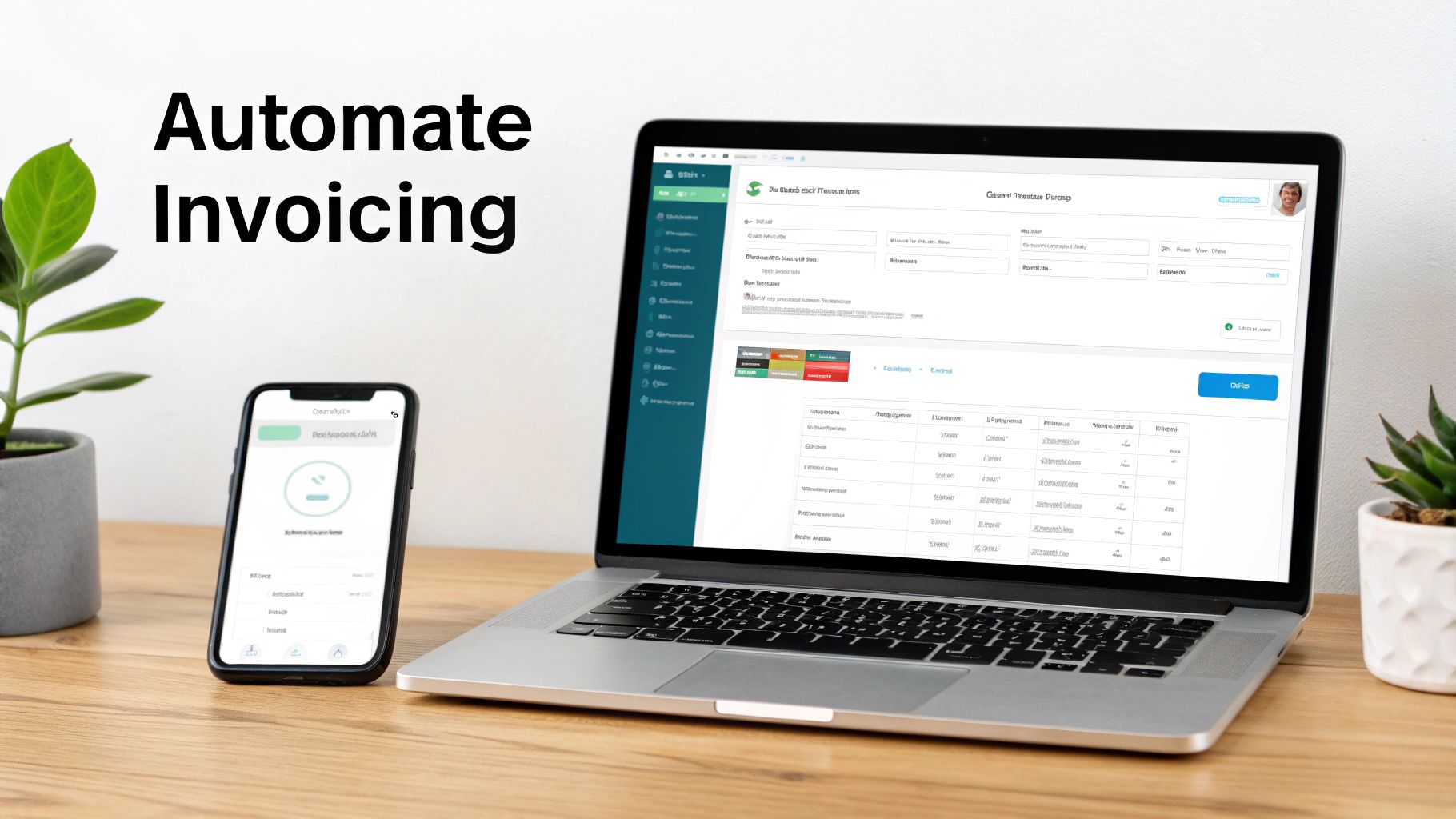
While a solid self employed invoice template uk is a brilliant place to start, there’s a point in every business journey where you need something more powerful. When you find yourself spending more time on admin than on your actual work, it’s time to consider dedicated invoicing software.
Platforms like Xero, QuickBooks, and FreeAgent do more than just churn out invoices. They help you build a smarter, more streamlined financial system that gives you back your most valuable resource: time.
Think of it as swapping a manual spreadsheet for an automated financial assistant. It’s a move that takes the repetitive, time-sucking tasks off your plate for good.
Features That Genuinely Make a Difference
The real magic of these platforms isn't just making pretty invoices; it's the automation and integration that transform your workflow from a manual chore into a smooth, almost hands-off process.
Here’s what you can actually look forward to:
- Automated Payment Reminders: Stop being the bad guy. The software can chase late payments for you with polite, professional emails.
- Recurring Invoices: This is a lifesaver for retainer clients or any regular work. You set it up once, and the platform sends the invoice automatically every month.
- One-Click Payments: Let clients pay you instantly. By connecting to services like Stripe or GoCardless, you can add a "Pay Now" button to your invoices.
- Real-Time Tracking: A live dashboard gives you an at-a-glance view of your cash flow—see exactly what’s paid, pending, or overdue.
This isn't just a niche trend; it's standard practice now. With HMRC encouraging electronic record-keeping, most UK small businesses have already shifted to digital tools. As long as your records are complete and accurate, electronic invoices are fully accepted.
Investing a small monthly fee in a digital tool can genuinely save you hours of admin. When you factor in fewer errors and getting paid faster, these platforms often pay for themselves in no time.
Getting Ready for Making Tax Digital
Digital invoicing tools also make compliance much less of a headache. HMRC's Making Tax Digital (MTD) initiative is expanding, and keeping organised digital records is no longer a 'nice-to-have'—it's essential.
These platforms often link directly to your business bank account, help categorise your expenses, and generate the reports you need for your tax return. It makes the whole process far less stressful. One final tip: when emailing your invoices, especially if they have logos or images, it’s a good idea to compress your PDF invoices to ensure they send quickly and don't clog up your client's inbox.
Got Invoicing Questions? We’ve Got Answers
Even with the best templates, you’re bound to run into situations that make you pause. Getting to grips with invoicing when you’re self-employed in the UK always throws up a few common questions. Let's clear up some of the most frequent ones so you can send every invoice with confidence.
A big one we hear a lot is about invoicing clients who aren't in the UK. Can you do it? Absolutely, but you need to mind the details. For clients in the EU or further afield, you generally won't charge them UK VAT, though you still need to record the sale. The rules can get a bit tricky, so it’s always a good idea to clearly state the client's location and the currency on the invoice itself.
What If I Make a Mistake on an Invoice?
It happens to the best of us. You fire off an invoice and then spot a glaring typo or the wrong amount. Whatever you do, don't just delete it or edit the original document, especially if your client already has it. This messes up your invoice numbering sequence, which is a red flag for HMRC and can cause a real headache during a tax audit.
The professional, and correct, way to handle this is by issuing a credit note.
- Think of a credit note as an 'anti-invoice' – it officially cancels out the incorrect one.
- It must refer back to the original invoice number, creating a clean, understandable paper trail.
- Once you've sent the credit note, you can then raise a brand new, correct invoice with a new invoice number.
Following this simple process keeps your books tidy and completely above board, which you'll be thankful for in the long run.
How to Handle Deposits and Part Payments
Taking a deposit or arranging milestone payments is a savvy move, especially on bigger jobs. It’s great for your cash flow, but your invoicing needs to be just as organised.
Avoid the temptation to just send one big bill at the end. Instead, you should raise a separate invoice for each stage of the payment. For instance, send one invoice clearly marked "Deposit for Project X" to kick things off. As you hit key milestones, issue further invoices, and then a final one for the outstanding balance. Each of these invoices needs its own unique number. It keeps the payment history crystal clear for you and your client. Using a consistent self employed invoice template uk for each one helps keep things looking professional.
Nailing your invoicing is a great start, but what about the rest of your business finances? From wrestling with your Self Assessment tax return to navigating VAT and planning for growth, having an expert in your corner can be a game-changer. The team at Stewart Accounting Services can lift the weight of financial admin off your shoulders, freeing you up to do what you love. To find out how we can help your business, visit our website to learn more about our services.